Disclosure: This page may contain affiliate links. I may earn a commission at no extra cost to you if you purchase through one of these links.
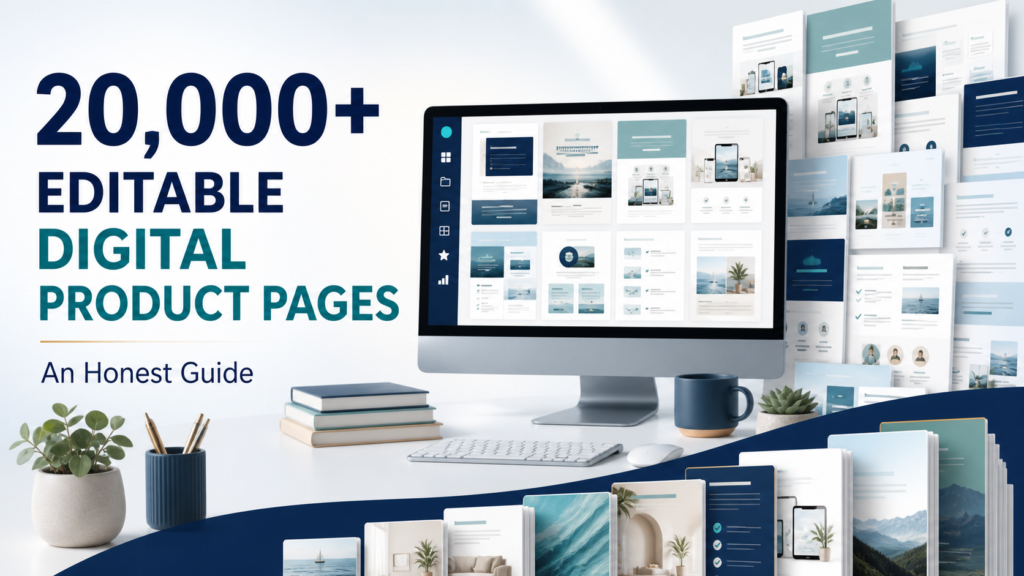
Creating digital products from scratch can take considerable time, especially when you are still learning about design, product packaging, and online selling. The 20,000+ Done-For-You Canva Editable Digital Product Page Bundle is designed to simplify that process by providing a large library of customizable templates, planners, journals, trackers, and related digital product materials.
The bundle may be useful for beginners, content creators, and small online business owners who want a starting point rather than a blank Canva page. However, a large template collection is not a shortcut to guaranteed sales. Its practical value depends on the quality of the included files, the license terms, your customization work, and how well your finished products serve a defined audience.
Affiliate disclosure: This article contains an affiliate link. If you purchase through it, the publisher may receive a commission at no additional cost to you.
What Is the 20,000+ Canva Template Bundle?
According to the offer description, this package includes more than 20,000 done-for-you Canva editable digital product pages. These pages can be used as building blocks for products such as planners, journals, trackers, worksheets, and other printable or digital resources.
Because the pages are editable in Canva, users can change elements such as colors, fonts, headings, graphics, and page layouts. This makes the bundle more flexible than a collection of finished PDF files that cannot easily be adjusted.
The offer also advertises full master resale rights. In general, master resale rights allow buyers to resell qualifying products under the conditions stated in the license. Rights can differ significantly between sellers, however, so you should read the included license before publishing or distributing anything. 200+ AI Tools for Business: A Beginner’s Guide to Choosing the Right AI Models
What the bundle is intended to provide
- A substantial collection of predesigned digital product pages
- Editable Canva templates for faster customization
- Layouts for planners, journals, trackers, and similar products
- Materials that can potentially be combined into multiple product types
- Master resale rights subject to the seller’s specific license
The advertised page count should not automatically be interpreted as 20,000 completely different finished products. A collection may contain individual pages, related layouts, covers, or design variations. Review the current sales page and bundle documentation to understand exactly how the files are organized.
Who May Find This Bundle Useful?
This type of template library is most suitable for people who are willing to edit and reposition the material. Simply exporting an unchanged template may result in a product that looks similar to versions offered by other buyers.
New digital product sellers
A beginner can use the layouts to learn how digital products are structured. Instead of designing every page manually, the seller can concentrate on choosing a niche, arranging the content, and developing a consistent visual identity.
Small online business owners
Existing business owners may use editable pages to create customer resources, lead magnets, workbooks, or low-cost products. For example, a virtual assistant could turn selected planning pages into a client onboarding workbook, while a fitness educator could adapt tracker layouts for a general wellness journal.
Bloggers and content creators
Creators can use relevant pages as a foundation for resources connected to their existing content. A budgeting blogger might develop an expense-tracking workbook, while a productivity creator could assemble a weekly planning system.
Freelancers and service providers
Service providers may be able to create branded supporting materials for their clients, provided that the license permits the intended use. Possible examples include project planners, consultation workbooks, content calendars, and goal trackers.
Important Benefits to Consider
A faster starting point
Templates eliminate some of the repetitive layout work involved in product creation. You still need to select, edit, proofread, and package the pages, but you do not have to begin every design with an empty canvas.
Accessible editing through Canva
Canva is familiar to many non-designers, and its drag-and-drop interface can make basic customization manageable. Before purchasing, confirm whether the templates work with a free Canva account or use any elements that require Canva Pro.
Multiple product possibilities
A broad page library may support several product ideas. Rather than placing hundreds of unrelated pages into one document, you can select a smaller group and build a focused resource for a particular customer.
Potential for consistent branding
You can apply a standard color palette, font pairing, cover style, and layout system across your products. A consistent visual identity helps make a collection feel intentional, even when the initial layouts came from a template bundle.
Limitations and Questions to Check Before Buying
No template bundle can guarantee traffic, search rankings, customers, or income. Templates address part of the production process; they do not replace product research, customer support, positioning, or marketing.
Read the license carefully
“Master resale rights” is a broad label rather than a universal legal standard. Check whether you may edit the files, sell finished PDFs, transfer editable templates, include them in memberships, use them for client projects, or pass resale rights to your customers. Do not assume a use is permitted unless the written license supports it.
Confirm what the page count represents
Look for details about the number of unique designs, categories, duplicate variations, and completed products. A high page count can be useful, but relevance and quality matter more than volume.
Account for selling expenses
The phrase “100% profits” is often used to indicate that no ongoing product royalty is owed to the original seller. It does not necessarily mean every sale becomes net profit. Marketplace fees, payment processing, advertising, subscriptions, taxes, refunds, and customer support can all affect actual earnings.
Avoid publishing unchanged material
Other customers may have access to the same source files. Meaningful customization can make your version more useful and recognizable. It can also reduce the risk of filling your store with generic products that are difficult to distinguish from competing offers.
How to Turn the Templates Into a Sellable Product
Step 1: Choose one audience and one problem
Start with a specific customer rather than browsing thousands of pages without a plan. For example, “a planner for everyone” is vague. “A weekly appointment and task planner for independent pet groomers” is more focused.
Step 2: Select only relevant pages
Choose layouts that contribute directly to the promised outcome. A compact, coherent workbook is usually easier to understand than a large file containing unrelated trackers and worksheets.
For a freelance project planner, you might select a client information page, project scope worksheet, milestone tracker, meeting notes page, task list, revision log, and final handover checklist.
Step 3: Customize the design
Replace the default color palette and fonts with a deliberate brand system. Edit headings, instructions, icons, and decorative elements. Check margins and spacing, and ensure that text remains readable on both screens and printed pages.
Step 4: Add original value
Design changes alone may not create a meaningfully different product. Add original prompts, examples, instructions, checklists, or page sequences based on the needs of your chosen audience.
For example, a generic habit tracker could become part of a “30-Day Morning Routine Workbook” when combined with a routine-planning page, preparation checklist, weekly reflection questions, and simple progress review.
Step 5: Proofread and test
Review every page for spelling, alignment, duplicate content, inconsistent fonts, and unclear instructions. Export a test copy and open it on more than one device. If the product is meant to be printed, print sample pages to check sizing, margins, contrast, and writing space.
Step 6: Package the product clearly
Provide straightforward instructions explaining what the buyer receives and how to access it. State whether the product is a printable PDF, an editable Canva template, or both. Include page dimensions, page count, software requirements, and any personal-use or commercial-use restrictions that apply to the customer.
Step 7: Create an accurate sales page
Use product images that represent the actual files. Describe the intended user, included pages, delivery format, and practical benefits without promising financial or personal outcomes. Clear expectations can reduce confusion and support requests.
Practical Product Ideas
The best product idea will depend on your audience and the available templates. Possible concepts include:
- A weekly content planner for solo business owners
- A client project organizer for freelance designers
- A reading journal for book club members
- A household maintenance and cleaning tracker
- A simple meal-planning and grocery workbook
- A goal-setting journal for university students
- An appointment and follow-up planner for service providers
- A digital product launch checklist for new creators
These are starting points, not guaranteed opportunities. Before building a product, examine existing customer questions, marketplace listings, search suggestions, or feedback from your own audience. The objective is to identify a genuine need and create a resource that addresses it clearly.
How to Organize a Bundle This Large
A collection containing thousands of pages can become overwhelming. Create a simple folder structure based on product type, audience, or function. Categories might include planning, finance, business, wellness, education, covers, and bonus pages.
Keep an inventory spreadsheet with the template name, Canva link, niche, license notes, customization status, and products in which the page has been used. Save untouched source links separately from working copies so that accidental edits do not disrupt your originals.
It is also sensible to work on one product at a time. Completing one focused workbook provides more practical value than starting many unfinished designs.
Is the Bundle Worth Considering?
The 20,000+ Done-For-You Canva Editable Digital Product Page Bundle may be worth considering if you want a broad design library, are comfortable working in Canva, and have a clear plan to customize the material. Its main advantage is convenience: it can reduce initial layout work and provide ideas for multiple product categories.
It may be less suitable if you want exclusive designs, expect ready-made products to sell without editing, or have not yet chosen an audience. The template count alone should not determine your decision. Review the current contents, license, software requirements, refund policy, and support information before purchasing.
Conclusion
A large Canva template bundle can support a faster digital product workflow, but it should be treated as a toolkit rather than a complete business. Careful selection, original customization, accurate product descriptions, and responsible marketing remain essential.
If the bundle fits your niche and you have reviewed its current terms, you can view the 20,000+ Canva editable bundle and its full offer details here. Check the sales page and written master resale rights license before downloading, editing, or reselling any included material.
Frequently Asked Questions
What is included in the 20,000+ Canva editable bundle?
The offer describes a collection of more than 20,000 editable digital product pages, including templates for planners, journals, trackers, and related resources. Check the current product page for the exact categories, file access method, and number of unique designs.
Do I need Canva Pro to edit the templates?
That depends on the elements used in the files. Some Canva templates can be edited with a free account, while premium fonts, graphics, or features may require Canva Pro. Confirm the requirements with the seller before purchasing.
Can I sell the templates as my own products?
The offer advertises full master resale rights, but you must follow the specific written license included with the purchase. Verify whether it permits selling finished products, editable links, modified templates, and resale rights to your own customers.
Will this bundle guarantee sales or income?
No. The bundle provides design materials, not guaranteed customers or financial results. Outcomes depend on factors such as product relevance, customization, pricing, presentation, platform fees, competition, and marketing.
Should I customize the templates before selling them?
Yes. Customization can make a product more useful for a defined audience and distinguish it from other products created from the same source files. Change the branding and add original instructions, prompts, examples, or page combinations where permitted.