Disclosure: This page may contain affiliate links. I may earn a commission at no extra cost to you if you purchase through one of these links.
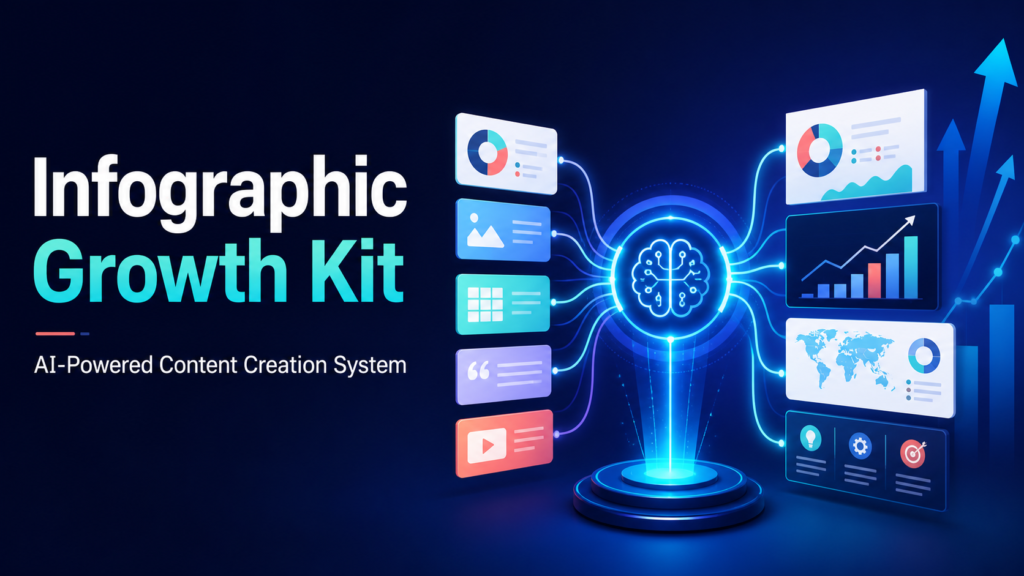
Creating an infographic can sound simple until you have to choose a topic, organize the information, write concise copy, design the graphic, and adapt it for different platforms. Infographic Growth Kit aims to make that process more manageable. It is positioned as a Complete AI-Powered Content Creation System By Leveraging Ready-to-Use Prompts and practical growth resources for blogs, websites, Pinterest, social media, and content repurposing.
Instead of beginning every project with a blank page, users get a structured framework covering topic ideas, content formats, hooks, calls to action, profitable niches, a 30-day content calendar, and quality control. It does not remove the need for judgment or editing, but it may help beginners and small business owners work through the process with more direction. Watch Skill-Powered AI Agents Build Your Funnels: A Practical Guide to AI Skills Agent
What Is Infographic Growth Kit?
Infographic Growth Kit is a collection of AI prompts and planning resources designed to support infographic content creation. The central idea is to help you move from a rough concept to organized visual content without having to invent every prompt, headline, section, and promotional angle yourself.
The kit covers multiple parts of the content workflow, including web and blog infographics, Pinterest graphics, potentially shareable content concepts, niche-specific ideas, content repurposing, hooks, CTAs, scheduling, and final quality checks.
This distinction is important: a prompt kit is not necessarily the same as an automatic design application. You may still need an AI writing assistant to process the prompts and a design platform to create the final visual. You will also need to review the output for accuracy, clarity, originality, and relevance.
What Is Included in the Content System?
Prompts for Web and Blog Infographics
Infographics can make a long article easier to scan. For example, a detailed post about launching an email newsletter could include an infographic showing the process from choosing a platform to sending the first campaign.
The included prompts are intended to help identify a suitable angle, develop a logical structure, simplify explanations, and organize the information into visual sections. This can be useful when you know your subject but are unsure how to turn it into an infographic.
Pinterest Graphic Resources
Pinterest is a visual discovery platform, so presentation matters. The kit includes resources for developing Pinterest-friendly graphics and content ideas. These may help you plan titles, text overlays, visual concepts, and descriptions that match the topic of your page.
A recipe blogger, for instance, could turn one article into a recipe overview, ingredient substitution chart, preparation timeline, and kitchen checklist. Each graphic could lead to the same useful article while approaching it from a different angle.
No resource can guarantee Pinterest reach or clicks. Results depend on factors such as topic demand, design quality, account activity, relevance, and platform changes.
Viral-Style Content Ideas
The word “viral” should be treated as a content style rather than a promised outcome. The kit can help you explore formats that are easy to understand and share, such as checklists, comparisons, mistakes to avoid, step-by-step processes, myths, timelines, and quick-reference guides.
A clear and useful visual may have a better chance of being saved or shared than a confusing one, but audience response is never certain. The goal should be usefulness first, with shareability as a possible benefit.
Ideas Covering 10 Profitable Niches
Niche examples can help when you need inspiration or want to see how the same framework applies to different markets. The kit covers 10 potentially profitable niches, giving users starting points for audience problems, visual topics, and content angles.
Calling a niche profitable does not mean every website or campaign in that niche will make money. Profitability depends on audience fit, competition, offers, costs, positioning, and execution. Use the niche material for research and brainstorming rather than as a financial guarantee.
Content Repurposing Resources
Repurposing allows one well-developed idea to support several content formats. A blog infographic might become a Pinterest pin, a carousel, a short video outline, an email section, or a downloadable checklist.
For example, imagine that you publish an infographic called “Seven Steps to Prepare an Online Store for a Holiday Sale.” You could reuse it as:
- A seven-slide social media carousel
- Seven short posts, with one step in each post
- A checklist for email subscribers
- A short video script
- A Pinterest graphic leading to the full guide
- A section inside a longer seasonal marketing article
This approach can reduce repeated brainstorming while keeping your core message consistent. Each version should still be adjusted for its platform instead of being copied without context.
Scroll-Stopping Hooks and Calls to Action
A strong hook gives readers a reason to pause, while a clear CTA tells them what to do next. Infographic Growth Kit includes resources for both.
A generic hook such as “Marketing Tips” may be too broad. A more specific alternative might be “Five Product Page Problems That Can Confuse First-Time Buyers.” It identifies the subject, audience, and practical value without making an exaggerated promise.
Likewise, a CTA should fit the reader’s next logical step. Appropriate examples include “Read the full tutorial,” “Save this checklist for later,” “Compare the available options,” or “Download the planning worksheet.” A useful CTA does not need false urgency or unrealistic claims.
A 30-Day Content Calendar
Consistency is often difficult when every publishing day starts with a new decision. A 30-day calendar can provide a basic schedule for topics, formats, and promotional content.
You do not have to follow the calendar exactly. A solo business owner might publish twice per week and stretch it over several months. A larger team might use it as a monthly starting point. The value comes from reducing uncertainty and adapting the plan to your actual resources.
A Professional Quality-Control Checklist
AI-generated content can contain factual errors, repeated ideas, awkward phrasing, and unsupported claims. A quality-control checklist is therefore one of the most practical parts of a prompt-based workflow.
Before publishing an infographic, review every fact, label, number, headline, and CTA. Check that the text is readable on mobile devices, the visual order makes sense, sources are handled appropriately, and the finished design reflects your brand.
How to Use Infographic Growth Kit Step by Step
1. Choose One Audience Problem
Begin with a specific problem instead of a broad industry. “Personal finance” is broad, while “how freelancers can organize irregular monthly expenses” offers a clearer direction.
2. Select the Right Infographic Format
Match the format to the information. Use a checklist for tasks, a timeline for a sequence, a comparison chart for alternatives, or a process diagram for connected steps. The simplest suitable format is often the easiest for readers to understand.
3. Customize a Ready-to-Use Prompt
Add details about your audience, tone, topic, platform, desired length, and CTA. Avoid submitting a generic prompt and publishing the first response unchanged.
For example: “Create a seven-section checklist infographic for new online shop owners. Explain how to review a product page before launch. Use plain language, short sentences, and a CTA inviting readers to view the full product-page guide.”
4. Verify and Edit the AI Output
Confirm factual statements using reliable, relevant information. Remove repetition, rewrite generic wording, and make sure the content reflects your genuine expertise or business perspective. AI should support your editorial process, not replace accountability.
5. Build the Visual
Transfer the approved copy into your preferred design tool. Use a clear hierarchy, readable fonts, adequate contrast, consistent spacing, and restrained branding. Avoid forcing too much text into one graphic.
6. Repurpose for Relevant Channels
Create platform-specific versions. A tall Pinterest graphic may need a different arrangement from a blog image or social carousel. Preserve the central idea while adjusting dimensions, text density, captions, and CTAs.
7. Review Performance and Improve
Track appropriate signals such as saves, clicks, comments, email sign-ups, or time on the related page. Results may vary, but these observations can help you identify the topics and formats your audience finds most useful.
Who May Find This Kit Useful?
Infographic Growth Kit may suit bloggers, affiliate marketers, coaches, freelancers, creators, and small online business owners who want a more organized visual content workflow. It may be especially helpful if you frequently struggle with topic selection, prompt writing, content structure, or repurposing.
It may be less suitable if you expect a completely hands-off publishing system, guaranteed traffic, or instant finished graphics without editing. You will still need appropriate AI and design tools, as well as time for customization and review.
Practical Tips for Better Results
- Be specific: Give the AI clear information about the audience, goal, format, and tone.
- Prioritize usefulness: Solve one defined problem rather than filling the graphic with unrelated facts.
- Use honest hooks: Create curiosity without misleading readers.
- Keep copy concise: Move extended explanations to the supporting article.
- Maintain consistency: Use repeatable colors, fonts, and layouts while avoiding identical content.
- Check accessibility: Use readable type, strong contrast, descriptive alt text, and a text-based version where appropriate.
- Review every output: Never assume AI-generated information is automatically correct.
Conclusion: Is Infographic Growth Kit Worth Considering?
Infographic Growth Kit brings prompts, niche ideas, content formats, hooks, CTAs, repurposing resources, a 30-day calendar, and quality control into one structured system. Its main appeal is convenience: instead of creating the entire workflow from scratch, you have frameworks that can be customized for your audience and business.
The kit cannot guarantee traffic, rankings, engagement, or revenue. Its value depends on how thoughtfully you apply the prompts, verify the content, create the designs, and respond to audience feedback.
If you want a guided starting point for creating and repurposing useful visual content, you can review Infographic Growth Kit here. Check the current product page for the latest features, pricing, usage terms, and any software requirements before deciding whether it fits your workflow.
Affiliate disclosure: This article contains an affiliate link. If you purchase through it, the publisher may receive a commission at no additional cost to you.
Frequently Asked Questions
Does Infographic Growth Kit create finished infographics automatically?
It is presented as a prompt-driven content creation system and resource kit. You may still need an AI assistant to generate draft content and a separate design tool to produce the finished infographic. Review the current sales page to confirm exactly what is included.
Is the kit suitable for beginners?
Yes, it appears designed to give beginners a more structured starting point. However, users still need to customize prompts, fact-check outputs, learn basic design principles, and understand their target audience.
Can I use the resources for Pinterest?
The kit includes Pinterest graphic resources. You can use them to plan visual concepts, headlines, and supporting content, but Pinterest exposure and clicks are not guaranteed.
Can the prompts be used in any niche?
Many prompt frameworks can be adapted by changing the audience, problem, format, and CTA. The kit also includes ideas covering 10 niches, though you should tailor every output to your own subject and readers.
Do I need other software?
You may need access to a compatible AI writing tool and an infographic or graphic design platform. Confirm current requirements and product details before purchasing.
Will Infographic Growth Kit guarantee traffic or income?
No. Prompts and planning resources can support content production, but they cannot guarantee traffic, search rankings, social reach, sales, or income. Outcomes depend on your strategy, execution, market, content quality, and other factors.