Disclosure: This page may contain affiliate links. I may earn a commission at no extra cost to you if you purchase through one of these links.
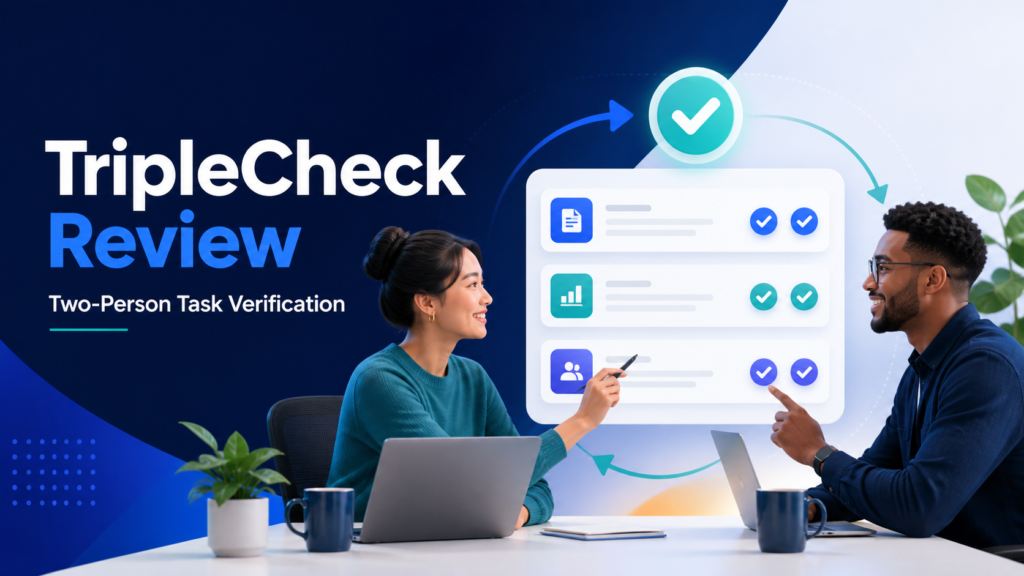
Most task managers let one person finish a task and mark it complete. That approach is fast, but it can allow overlooked details to reach customers or clients. TripleCheck takes a different approach: a task does not turn green until a second person verifies that the work was completed correctly.
The product is positioned around a straightforward claim: TripleCheck is the only task manager that requires TWO people to mark tasks complete: the doer and the verifier. Whether or not you need that extra approval depends on your workflow, but it can be valuable when mistakes are expensive, visible, or difficult to reverse.
This review explains how TripleCheck works, where it may fit, and how beginners and small business owners can test it without adding unnecessary bureaucracy.
What Is TripleCheck?
TripleCheck is a task management platform built around two-person verification. Instead of treating a team member’s completion click as the end of a task, the system separates doing the work from confirming that it meets the required standard.
For example, a team member might upload a client email campaign and mark the task as done. A verifier would then check the links, formatting, recipient settings, and scheduled delivery time. Only after that review would the task receive its final green status.
According to the product’s description, TripleCheck was created by a marketing agency after preventable mistakes affected client work. The company also reports going more than six weeks without a client-facing error after introducing the process. That is the company’s own experience rather than a guarantee of what another business will achieve. MarketBooks AI Review: A Practical Guide for Beginners and Small Businesses
How the Two-Person Completion Process Works
The defining feature is the separation between a doer and a verifier. Each role has a clear responsibility.
The doer completes the assigned work
The doer receives the task, follows the instructions, and submits the finished work for review. This person should provide enough information for the verifier to evaluate it efficiently. Depending on the task, that might include a link, file, screenshot, note, or other evidence.
The verifier checks the result
The verifier examines the work against an agreed standard. Verification should be more meaningful than clicking an approval button. The reviewer needs to know what to inspect and what conditions must be met before approval.
The task turns green after approval
The task does not reach its final green state until the verifier confirms it. This creates a visible distinction between work that someone says is complete and work that another person has reviewed.
That distinction can be especially useful in client services, publishing, ecommerce, finance administration, and other workflows where a small error may create a disproportionate problem.
Key TripleCheck Features
Voice-to-Task creation
TripleCheck offers Voice-to-Task, which is designed to let users create tasks by speaking. The product promotes task creation in about 15 seconds, although actual time will naturally depend on the complexity of the instructions.
Voice input may be useful when a manager notices an issue during a call, reviews work from a phone, or needs to capture an assignment before forgetting it. A spoken task should still include a clear outcome, owner, verifier, and deadline.
Color-coded task status
The platform uses a red-to-purple-to-yellow-to-green progression to show task status. This stoplight-inspired design is intended to make the workflow understandable at a glance.
Color can reduce the time spent opening individual tasks to find out what is happening. Managers can focus on items that need action while completed and verified work remains visibly separate. Teams should still learn the precise meaning of each status inside the current version of the platform rather than relying on color alone.
Instant notifications
Notifications help keep the doer, verifier, and manager aware of updates. When a task changes hands or is ready for review, the relevant person can be alerted instead of waiting for a manual message.
This can reduce status-chasing, but notification settings should be managed carefully. Too many alerts can become background noise. Start with important events, then adjust the settings based on how your team responds.
Full audit trail
TripleCheck records who performed an action, when it happened, and who verified the work. An audit trail can help managers reconstruct what occurred without relying entirely on memory or scattered chat messages.
This history may also make process coaching more specific. Rather than asking why a project went wrong in general, a manager can examine where the workflow slowed down, which instruction was unclear, or whether verification took place.
A simple visual model
TripleCheck describes itself as having a zero learning curve because its colors resemble a stoplight. No software is literally effortless for every user, but a familiar visual model may make initial adoption easier for teams that find complex project management systems overwhelming.
Where TripleCheck May Be Most Useful
Not every task requires two people. Requiring approval for routine, low-risk work can create a bottleneck. TripleCheck is likely to be most useful when the cost of an error is higher than the cost of a short review.
Potential use cases include:
- Checking links, dates, personalization fields, and audience settings before an email campaign is sent.
- Reviewing product prices, images, descriptions, and checkout links before publishing an ecommerce page.
- Confirming that a blog post includes the correct disclosures, links, formatting, and metadata.
- Verifying client deliverables before they are sent or presented.
- Reviewing invoices, reports, or recurring administrative work before final submission.
- Confirming that website updates work correctly on the relevant pages and devices.
It may be less suitable for solo work that has no available verifier, highly exploratory tasks without a clear definition of done, or minor activities where a second review would take longer than correcting the occasional mistake.
Practical Example: Publishing an Affiliate Article
Consider a small content team preparing an affiliate article. The writer is the doer, while an editor or site owner is the verifier.
- Create a specific task: State the article topic, intended reader, deadline, required sections, affiliate link, and disclosure requirements.
- Complete the draft: The writer prepares the article, adds the appropriate link, and checks the formatting.
- Submit evidence: The writer provides the draft or preview URL and notes any decisions that need attention.
- Verify against a checklist: The reviewer checks accuracy, readability, link destination, disclosure, metadata, and mobile presentation.
- Approve or return: If the article meets the standard, the verifier approves it. If not, the reviewer explains what must change.
- Preserve the history: The audit trail shows who prepared the article and who approved it before publication.
This process does not guarantee that an article will rank, attract traffic, or produce affiliate income. It simply makes the publication process more accountable and reduces reliance on assumptions.
How to Introduce TripleCheck Without Slowing Your Team
1. Begin with one high-risk workflow
Do not move every activity into a two-person process immediately. Start with a recurring task where errors have a noticeable impact, such as campaign launches, client reports, or website changes.
2. Define what “done right” means
A verifier cannot check work consistently without clear criteria. Create a short checklist that describes the expected result. Keep it focused on observable details rather than vague directions such as “make it look good.”
3. Assign a primary and backup verifier
Two-person verification can fail when the reviewer is unavailable. Assign a primary verifier and, when practical, a backup. This prevents completed work from remaining stuck while someone is away.
4. Require useful completion notes
Ask doers to attach the relevant file or URL and summarize what they completed. Good evidence reduces review time and makes the audit trail more informative.
5. Set a review-time expectation
Define how quickly verification should occur. A task that is finished but waiting for review may still delay the project. The appropriate review window will depend on the urgency and complexity of the work.
6. Evaluate the process after the trial
Look at whether the system improved visibility, made responsibilities clearer, or exposed recurring weaknesses. Also ask whether reviews created delays. The goal is not to add approval for its own sake; it is to create an appropriate control for important work.
Benefits and Limitations to Consider
Potential benefits
- Clear accountability between the person doing the work and the person reviewing it.
- Visible confirmation that important work received a second check.
- Less dependence on informal reminders and chat messages.
- A recorded history of task actions and approvals.
- Simple color-based visibility for managers and team members.
Potential limitations
- Every verified task requires time from a second person.
- Poorly assigned verifiers can create approval bottlenecks.
- A verification click is only useful when the reviewer performs a real check.
- Solo business owners may need a contractor, colleague, or partner to use the central feature fully.
- The platform cannot replace clear instructions, training, or sound quality standards.
TripleCheck should therefore be viewed as a process tool rather than an automatic quality guarantee. It can document and reinforce a double-checking habit, but the quality of the outcome still depends on the people and standards involved.
Is TripleCheck Worth Trying?
TripleCheck offers a focused alternative to task managers that treat self-reported completion as final. Its two-person approval model is particularly relevant for small agencies, remote teams, and online businesses handling client-facing or revenue-sensitive work.
The best way to evaluate it is with a real recurring workflow. Choose one process, define the verification checklist, and observe whether the extra review improves clarity without creating excessive delay.
TripleCheck currently advertises a free 14-day trial with no credit card required. Offer details can change, so confirm the latest terms on the product page before signing up.
Disclosure: The following is an affiliate link. If you sign up through it, the publisher may receive a commission at no additional cost to you.
Try TripleCheck free for 14 days and test its doer-and-verifier workflow with one important process in your business.
Conclusion
TripleCheck addresses a common weakness in task management: confusing “someone clicked complete” with “someone confirmed the work was correct.” By requiring separate doer and verifier actions, it makes review a visible part of the workflow rather than an optional assumption.
That added accountability can be useful, but it should be applied selectively. Use it for work where mistakes matter, give verifiers clear criteria, and monitor review times. When supported by good procedures and responsible team members, TripleCheck can provide a practical structure for knowing that a second check actually took place.
Frequently Asked Questions
What makes TripleCheck different from a standard task manager?
TripleCheck requires both a doer and a verifier before a task reaches its final green status. Standard task managers commonly allow the assignee to mark work complete without a separate approval.
Can a solo business owner use TripleCheck?
A solo owner can manage tasks in the platform, but using its central two-person verification process requires another person. That person could be a contractor, assistant, business partner, or specialist reviewer.
Does TripleCheck prevent every business mistake?
No. It provides a structured verification process, but it cannot guarantee error-free work. Results depend on clear instructions, appropriate checklists, attentive reviewers, and consistent use.
What do the TripleCheck colors mean?
TripleCheck uses a red, purple, yellow, and green workflow to make task progress visually clear. Green represents the final verified state. Users should consult the current product interface or documentation for the precise definition of every stage.
Is there a free TripleCheck trial?
TripleCheck currently promotes a 14-day free trial without requiring a credit card. Check the current offer page for the latest eligibility, features, and terms.