Disclosure: This page may contain affiliate links. I may earn a commission at no extra cost to you if you purchase through one of these links.
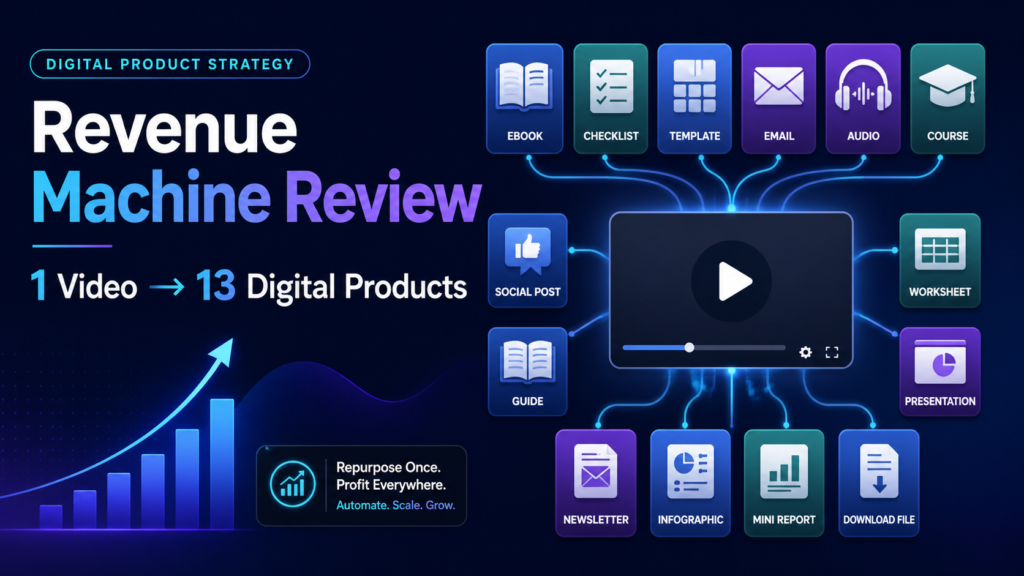
Creating a video is only the beginning of a modern content strategy. The same ideas can support blog posts, newsletters, lead magnets, courses, social media updates, and other assets. However, manually converting a video into all these formats takes considerable time. YouTube Revenue Machine is designed to turn a YouTube video into 13 ready-to-use digital products in under 5 minutes, giving creators and small businesses a faster starting point for content repurposing.
The platform combines transcription and content-generation technology to extract the ideas from a video and reorganize them for different channels. In this review, we will examine how YouTube Revenue Machine works, the outputs it offers, its practical use cases, and the limitations to consider before relying on AI-generated content.
Affiliate disclosure: This article contains an affiliate link. If you purchase through that link, the publisher may receive a commission at no additional cost to you.
What Is YouTube Revenue Machine?
YouTube Revenue Machine is an AI-powered content repurposing tool. Instead of beginning with a blank document, users paste a YouTube URL, choose an output, and allow the software to convert the source video into a new content asset.
The system is powered by Whisper AI and Claude. Whisper AI handles speech recognition and transcription, while Claude helps organize, summarize, and rewrite the material for the selected format.
The main promise is simplicity. You do not need to build a complicated automation, manually transcribe the recording, or move text between several unrelated applications. The workflow is intended to take place in one platform without requiring technical skills.
Although the software describes its outputs as ready to use, responsible users should still review them. Names, facts, links, terminology, tone, and formatting may need editing before publication. AI can accelerate production, but human oversight remains important. YT Content Pro Review: Turn YouTube Videos Into Digital Products in Minutes
What Can You Create From One Video?
YouTube Revenue Machine offers 13 output types. Each one gives the original video a different purpose and potential distribution channel.
1. AI Summaries
An AI summary condenses a longer video into its main ideas and takeaways. It can be useful for internal notes, resource pages, video descriptions, or readers who want a quick overview before watching the full recording.
2. Kindle Books
The platform can reorganize video content into a longer book-style structure. This may help subject-matter experts develop an initial manuscript, although the result should be edited for flow, originality, accuracy, and compliance with any publishing platform requirements.
3. SEO Blog Posts
A video can become a structured article with headings and supporting sections. The generated draft may reduce writing time, but it still needs a clear search intent, useful examples, accurate claims, natural keyword placement, and an appropriate internal linking strategy.
4. Newsletters
You can convert a tutorial, interview, or presentation into an email newsletter. This gives subscribers a concise version of the topic and provides an opportunity to direct them back to the original video or another relevant resource.
5. Lead Magnets
Educational videos often contain enough material for a checklist, guide, framework, or reference document. Packaging that information as a lead magnet can support an email list, provided the resource solves a specific problem and offers more value than a basic transcript.
6. Shorts Packs
Long videos frequently contain individual tips that can be adapted into short-form scripts. A Shorts Pack can help identify these angles and organize them for platforms built around brief vertical videos.
7. Social Media Packs
The social media output can turn key points into multiple post ideas. Users can then adapt the wording, length, opening hook, and call to action for each network rather than publishing identical content everywhere.
8. Podcast Scripts
Video ideas can also be reorganized into an audio-focused script. This is useful when expanding into podcasting, but visual references from the source video may need to be rewritten so the material makes sense without images.
9. Follow-Up Video Scripts
A follow-up script can explore unanswered questions, related topics, or the next step in a series. It may help creators maintain a consistent publishing schedule without starting every script from scratch.
10. Brand Media Kits
A brand media kit helps present a creator, company, or offer to potential partners. Generated copy can provide a basic structure, but details such as audience information, services, contact details, and brand positioning must be verified and customized.
11. Premium Courses
A detailed educational video can serve as the foundation for course modules and lessons. The resulting structure should be reviewed to ensure that lessons follow a logical sequence and include suitable exercises, examples, and learning outcomes.
12. Coaching Curriculums
Coaches can transform a video topic into a multi-session curriculum. This can provide an initial roadmap for client calls, assignments, milestones, and discussion points without replacing the coach’s professional judgment.
13. Ebook and Course Outlines
If you are not ready to produce a complete ebook or course, an outline can reveal how the source material might be expanded. It can identify chapters, modules, gaps, and areas that require additional research.
How YouTube Revenue Machine Works
The workflow is intentionally straightforward. Beginners can use it without configuring code, integrations, or complex prompts.
Step 1: Select a Suitable YouTube Video
Choose a video with a clear topic, useful information, and understandable audio. Tutorials, webinars, interviews, presentations, and educational videos are natural candidates. Better source material generally gives the AI more substance to work with.
Use videos that you own or have permission to repurpose. A publicly accessible YouTube URL does not automatically grant the right to copy, repackage, or sell someone else’s content.
Step 2: Paste the YouTube URL
Copy the video’s address and paste it into YouTube Revenue Machine. The system uses the video as the source for transcription and content generation, eliminating the need to create a transcript manually.
Step 3: Choose an Output
Select the asset that best matches your immediate objective. For example, choose a newsletter if you need to contact subscribers, a lead magnet if you are building an email list, or a blog post if you are developing a resource library.
Step 4: Generate the Content
The tool is designed to produce the selected content in under five minutes. Actual processing conditions may vary depending on the source video and the platform, so the time claim is best viewed as the intended workflow rather than a guarantee for every submission.
Step 5: Review and Improve the Output
Read the entire result before using it. Correct transcription errors, remove repetition, check factual statements, and add your own examples. Confirm that the tone fits your brand and that the material serves the audience rather than merely repeating the video.
Step 6: Format and Publish
Move the reviewed content into the appropriate publishing platform. Add relevant images, links, branding, disclosures, and calls to action. Preview the final version on desktop and mobile before making it public.
A Practical Content Repurposing Example
Imagine that a small business owner has published a 30-minute YouTube tutorial about planning a weekly email campaign. That single video could become a blog post explaining the planning process, a checklist used as a lead magnet, and a newsletter summarizing the most important steps.
The same source could also produce short scripts about subject lines, email frequency, and calls to action. A follow-up video script might cover campaign measurement, while a course outline could expand the original tutorial into several lessons.
This approach does not require publishing all 13 outputs immediately. A more manageable plan would be to choose two or three formats that support an existing business goal. Quality and relevance are usually more valuable than producing a large volume of unedited material.
Who May Find This Tool Useful?
YouTube Revenue Machine may appeal to YouTube creators who want to distribute their ideas beyond video. It may also help bloggers, coaches, consultants, course creators, affiliate marketers, agencies, and small business owners who already have a library of educational recordings.
Beginners may appreciate the guided outputs and lack of complicated technical setup. More experienced marketers could use the platform to accelerate first drafts and standardize parts of their repurposing process.
It will be less useful for someone who does not have suitable source videos or permission to use them. It may also be unnecessary for users who prefer writing every asset manually or already have an established production team and workflow.
Benefits and Limitations
Potential Benefits
- Creates multiple content formats from one source video.
- Reduces the need for manual transcription and initial research.
- Provides structure when you are facing a blank page.
- Supports several marketing channels from one central idea.
- Does not require coding or advanced technical knowledge.
- Can help smaller teams develop drafts more efficiently.
Important Limitations
- AI-generated content may contain transcription or factual errors.
- Outputs can require substantial editing to match a distinct brand voice.
- A generated SEO article does not guarantee rankings or organic traffic.
- Creating digital products does not guarantee leads, sales, or income.
- Users remain responsible for copyright, permissions, and publishing compliance.
- Poorly structured source videos may result in less useful drafts.
How to Get Better Results
Start with focused videos rather than recordings that jump between unrelated subjects. Define the target reader and purpose before selecting an output. A lead magnet for beginners should not use the same depth or language as a premium curriculum for experienced professionals.
Add material that only you can provide, such as your framework, product instructions, approved case examples, visual branding, and informed perspective. Remove generic filler and verify every important claim. These steps make the final asset more useful and less like an unedited AI draft.
Finally, repurpose strategically. Choose the channels where your audience already spends time and connect each asset to a sensible next step. The goal is not to create 13 disconnected files; it is to build a coherent content system around a proven topic.
Conclusion: Is YouTube Revenue Machine Worth Considering?
YouTube Revenue Machine offers a practical way to transform existing video material into a wider range of digital assets. Its selection of summaries, posts, books, emails, scripts, courses, and marketing materials covers many common content needs for creators and small businesses.
The strongest use case is accelerating research, transcription, outlining, and first-draft production. It should not be treated as a replacement for editorial review, original expertise, copyright awareness, or a thoughtful marketing strategy.
If you regularly publish educational videos and want a simpler way to repurpose them, you can explore YouTube Revenue Machine here. Review the current product details, terms, and available options to decide whether it fits your content workflow.
Frequently Asked Questions
What does YouTube Revenue Machine do?
It uses AI to transcribe a YouTube video and transform its content into 13 possible output formats, including blog posts, newsletters, lead magnets, social packs, scripts, ebooks, courses, and coaching curriculums.
Do I need technical skills to use it?
No advanced technical skills are required. The basic process involves pasting a YouTube URL, selecting an output type, generating the content, and reviewing the result.
Can I publish the generated content without editing it?
You should review and edit every output before publication. Check facts, wording, formatting, links, brand voice, and transcription accuracy. Human editing can also add originality and make the content more useful to the intended audience.
Can I use any public YouTube video?
No. Public availability does not automatically provide republishing or commercial rights. Use your own videos, licensed material, public-domain content where applicable, or videos you have explicit permission to repurpose.
Will the tool guarantee traffic, rankings, or sales?
No. It can help create content assets, but performance depends on factors such as quality, audience demand, distribution, competition, positioning, and your broader marketing strategy. No content tool can guarantee rankings, traffic, income, or sales.