Disclosure: This page may contain affiliate links. I may earn a commission at no extra cost to you if you purchase through one of these links.
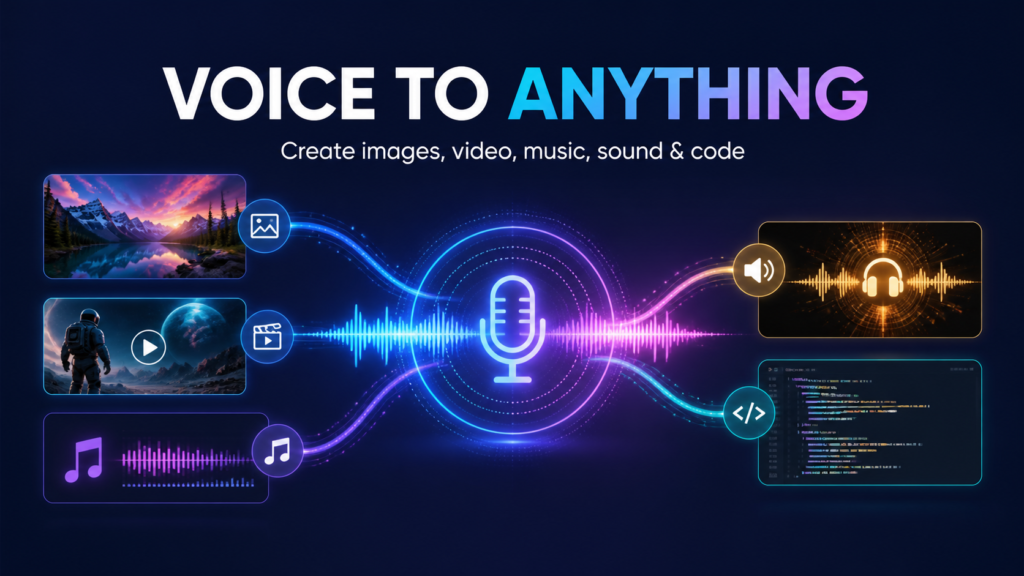
Creating images, videos, music, websites and other digital assets often means switching between several tools. AstrAI aims to simplify that process by putting multiple AI creation features into one dashboard. Its promotional message describes it as a Breakthrough GPT-6 Astra-Powered App Turns Your Voice Into Stunning Images, Videos, Music, Sound Effects, Code, complete websites, ebooks and AI agents—and even helps users look for potential paying clients.
That is a broad promise, so it is worth taking a practical look at what AstrAI is designed to do, how beginners might use it and what you should verify before purchasing. This guide does not assume that every output will be perfect or that the platform will automatically produce traffic, clients or income. TalkGen AI Review: Turn Any Image or Object Into a Studio-Quality Talking Video
What Is AstrAI?
AstrAI is marketed as an all-in-one AI content creation and business support platform. Rather than learning a different interface for every type of content, users can reportedly enter or speak instructions from a central dashboard.
The idea is straightforward: describe what you want, choose the relevant content format and let the software generate a starting point. Depending on the available tool, that starting point might be an image, short video, music track, sound effect, code snippet, website page, ebook draft or AI agent.
AstrAI also promotes client discovery features. These may be useful for researching potential businesses that could need services, but finding a lead is not the same as winning a client. Your offer, outreach quality, portfolio, pricing and follow-up will still matter.
One important note is that terms such as “GPT-6 Astra-powered” appear in the product’s marketing. Buyers should review the current sales page and documentation to understand exactly which models or technologies are used. Do not assume that a product name confirms an official connection with a particular AI provider.
What Can You Create With AstrAI?
Images and Marketing Graphics
You could use an image generator to create concepts for blog illustrations, social posts, advertisements, ebook covers and product mockups. A detailed prompt normally works better than a vague request.
For example, instead of saying “make a business image,” try: “Create a clean square illustration of a small online shop owner packing an order, using warm colors, soft lighting and space for a headline at the top.”
AI-generated graphics should still be reviewed carefully. Look for distorted text, unusual hands, inconsistent branding and visual elements that do not fit your audience.
Videos, Music and Sound Effects
AstrAI is also presented as a tool for producing video, music and sound effects. These assets could support product demonstrations, short social clips, podcast introductions or background audio.
A small business might generate a short promotional video concept, add background music and create a simple transition sound without opening several separate applications. However, output length, export resolution, editing controls and usage limits may vary. Check the current plan details if these features are central to your decision.
Before publishing generated audio, confirm the commercial-use and licensing terms. Avoid asking the software to imitate living musicians, actors or recognizable creators.
Code and Complete Websites
For users without extensive technical experience, AI-generated code can provide a useful starting point. AstrAI may help create page layouts, small scripts, forms, landing-page copy or website structures.
Imagine a local consultant who needs a simple site. The initial instruction could specify a home page, services section, about section, contact form and mobile-friendly design. The generated result can then be edited to reflect the consultant’s real services and brand.
Generated code should never be published blindly. Test forms, buttons, mobile layouts, security settings, accessibility and page speed. If a website collects customer information or processes payments, professional technical review may be appropriate.
Ebooks and Long-Form Content
AstrAI may help users plan and draft ebooks, lead magnets, checklists or educational guides. It can potentially turn a topic into an outline and expand individual sections.
For example, a gardening business could request an ebook called “A Beginner’s Guide to Balcony Herbs.” The AI might create chapters about choosing containers, selecting herbs, watering and handling common problems.
The owner should then fact-check the content, add genuine expertise and remove repetitive or generic passages. AI can speed up drafting, but useful publishing still requires human judgment.
AI Agents
AI agents are generally designed to follow instructions and carry out repeatable tasks. Depending on AstrAI’s implementation, an agent might assist with research, content planning, customer questions or workflow organization.
Begin with low-risk tasks. Do not give an automated agent unrestricted access to sensitive business systems, financial accounts or private customer data. Review its actions until you understand how consistently it follows instructions.
How the Voice Feature May Help Beginners
Prompt writing can feel intimidating when you are new to AI. Voice input may make the process more natural because you can explain an idea as if you were speaking to an assistant.
You do not need a perfect command on the first attempt. Start with the goal, describe the audience and add the format, style and important constraints.
A useful spoken request might be: “Create a friendly 30-second video script for new bakery customers. Focus on handmade bread, use simple language and end with an invitation to visit this weekend.”
If the first result is too general, follow up with instructions such as “make it more concise,” “remove exaggerated claims” or “give me three alternative openings.” Voice input may reduce typing, but clear instructions remain important.
A Practical AstrAI Workflow
Step 1: Choose One Specific Project
Avoid trying every feature at once. Choose a useful project, such as a lead magnet, landing page or set of social graphics. A focused test makes it easier to judge whether the software fits your workflow.
Step 2: Define the Audience and Goal
Write down who the content is for and what it should help them do. “Create an ebook” is broad. “Create a beginner-friendly checklist that helps freelance designers prepare for a client discovery call” gives the AI more direction.
Step 3: Provide Brand Guidance
Specify your preferred tone, colors, vocabulary and calls to action. If the platform supports saved brand information, check every generated asset for consistency before using it.
Step 4: Generate a First Draft
Treat the output as a draft rather than a finished product. Ask for revisions when something is missing. For larger projects, create an outline first and approve it before generating the full content.
Step 5: Review and Edit
Check facts, spelling, design details, links and technical functionality. Remove unsupported claims. Confirm that the result accurately represents your products or services.
Step 6: Export and Test
Test content in its intended environment. View images on mobile, listen to audio through different speakers and click every link on a website. Keep copies of original files when exports are available.
Using AstrAI for Client Prospecting
The client-finding component may appeal to freelancers, agencies and service providers. It could potentially help identify businesses in a chosen industry or location that may benefit from services such as web design, video creation or content production.
A responsible approach is to research each business before making contact. Look at its public website, identify a genuine issue and write a personalized message. Avoid mass-sending generic AI outreach.
For example, a web designer might find a restaurant whose site is difficult to use on a phone. The designer could create a small concept mockup and explain one or two specific improvements. This is more useful than claiming guaranteed sales or promising unrealistic results.
Respect privacy, anti-spam rules and the communication laws that apply in your location. A prospecting tool may support research, but it does not replace consent, professionalism or relationship building.
Potential Advantages
- One central dashboard: It may reduce the need to move between unrelated tools.
- Voice-based instructions: Speaking ideas can be easier for users who dislike writing long prompts.
- Multiple content formats: Images, audio, video, text and code may support varied campaigns.
- Beginner accessibility: Guided generation may make complex creative tasks less intimidating.
- Faster first drafts: AI can help overcome the blank-page stage, leaving users to refine the result.
Limitations and Questions to Consider
An all-in-one platform can be convenient, but specialist tools may offer deeper controls for a particular task. A professional video editor, developer or musician may still prefer dedicated software.
AI output can also contain factual mistakes, awkward designs, broken code or repetitive language. Human review remains necessary. Voice transcription may misunderstand names, technical terms or accents, so inspect the recorded prompt before generating important work.
Before buying, check the current price, usage credits, export options, commercial rights, refund policy and any optional upgrades. Find out whether limits apply to videos, websites, storage, agents or client searches. Product features and terms can change, so the official sales page should be your primary reference.
You should also consider data privacy. Avoid uploading confidential client documents, personal records, passwords or protected business information unless the platform’s policies and security practices are suitable for that use.
Who Might Find AstrAI Useful?
AstrAI may suit solo entrepreneurs, affiliate marketers, freelancers, local business owners and content creators who want to experiment with several forms of AI content in one place.
It may be less suitable for people who need advanced professional editing, highly specialized code or guaranteed output consistency. It is also not a substitute for strategy, expertise or customer research.
Conclusion: Is AstrAI Worth Exploring?
AstrAI presents an ambitious combination of voice-driven content creation, website building, AI agents and prospect research. Its main attraction is convenience: users may be able to move from an idea to several draft assets without assembling a large collection of separate tools.
The best way to evaluate it is to compare its current features and limits with one real project you need to complete. Keep expectations realistic, edit everything carefully and treat client discovery as the start of a relationship—not an automatic source of revenue.
Disclosure: The following is an affiliate link. If you purchase through it, the publisher may receive a commission at no additional cost to you.
If the all-in-one workflow fits your needs, you can visit the official AstrAI offer page to review the latest demonstration, pricing, usage limits, terms and available upgrades before deciding.
Frequently Asked Questions
What is AstrAI used for?
AstrAI is marketed as a voice-powered platform for generating images, videos, music, sound effects, code, websites, ebooks and AI agents. It also promotes tools for researching potential clients.
Does AstrAI guarantee paying clients?
No. Software may help identify prospects or organize outreach, but it cannot guarantee replies, contracts or income. Results depend on your offer, market, portfolio, communication and follow-up.
Can beginners use AstrAI?
Its voice-input and all-in-one approach appear intended to make AI creation more accessible. Beginners should still start with a small project and review tutorials, plan limits and generated outputs carefully.
Can I use AstrAI content commercially?
Commercial-use rights depend on the platform’s current license and the type of asset generated. Read the latest terms before using images, audio, code or written content in client work or products.
Should I publish AstrAI output without editing it?
No. Check factual accuracy, originality, licensing, design quality, code security and brand consistency. AI output is best treated as a draft that requires human review.