Disclosure: This page may contain affiliate links. I may earn a commission at no extra cost to you if you purchase through one of these links.
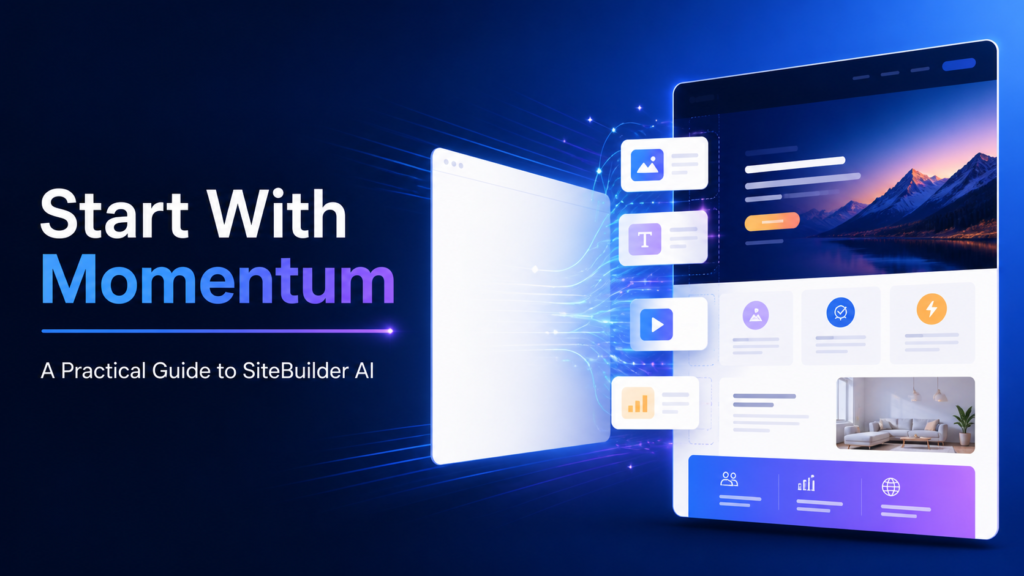
Start with momentum, not another blank page. An AI powered Site Builder such as SiteBuilder AI can help turn a basic business description into a workable website draft, giving you a structure to refine instead of asking you to design every section from scratch.
That can be valuable for beginners, freelancers, affiliate marketers, and small business owners who need a professional online presence but do not want to begin with code or an empty canvas. AI does not remove every decision, however. The best results still come from clear instructions, careful editing, and a final review by a real person.
This guide explains how SiteBuilder AI fits into the website creation process, how to use it productively, and what to check before publishing. Features, pricing, usage limits, and integrations may change, so confirm the current details on the provider’s website before choosing a plan. AI Funnel Builder Guide: Launch Automated Sales Funnels Without a Copywriter or Designer
What Is SiteBuilder AI?
SiteBuilder AI is designed to use artificial intelligence as part of the website-building process. Instead of manually selecting every layout element and writing each section from the beginning, users can provide information about their business, audience, and goals. The system can then help generate a starting structure and content that can be customized.
The important phrase is starting structure. An AI-generated website should be treated as a first draft rather than a finished business asset. It can reduce setup friction, suggest an initial page hierarchy, and help organize ideas, but it does not automatically understand every detail of your brand or customers.
For a beginner, this guided approach can make website creation feel more manageable. For an established business owner, it may help speed up early-stage prototyping for a new service, campaign, or project.
How an AI Powered Site Builder Changes the Starting Point
Traditional website projects often begin with a series of separate tasks: selecting a template, planning pages, choosing colors, writing copy, finding images, and arranging calls to action. Each task is reasonable on its own, but the combination can lead to decision fatigue.
An AI powered Site Builder brings several of those early decisions into one guided workflow. It may ask what type of website you need, who it serves, and what action visitors should take. Based on those inputs, it can produce a draft that connects design and content.
This does not mean the AI makes every choice correctly. It means you can react to something visible. Editing a draft is often easier than imagining an entire site from nothing.
A Simple Example
Imagine a self-employed bookkeeper who needs a basic business website. A useful prompt or setup description might include the following:
- The business provides monthly bookkeeping for local service companies.
- The primary audience is owners with small teams.
- The main goal is to encourage visitors to request an introductory consultation.
- The desired tone is calm, clear, and professional.
- The website needs Home, Services, About, FAQ, and Contact pages.
With this information, an AI builder has a clearer direction than it would receive from a vague instruction such as “make me a bookkeeping website.” The draft can then be edited to include the owner’s actual qualifications, service boundaries, process, and contact details.
Potential Benefits for Beginners and Small Businesses
Faster Progress From Idea to Draft
The most practical benefit is momentum. AI-assisted generation can help create a first version of a site without requiring the user to master design principles before beginning. This is especially helpful when an unfinished website has delayed a business launch or marketing campaign.
Guided Content Organization
New website owners do not always know which sections belong on a page. An AI builder can suggest a familiar flow, such as a headline, short explanation, key benefits, service details, credibility elements, and a call to action.
These suggestions are not rules, but they provide a useful framework. You can remove unnecessary sections, reorder the page, and expand areas that matter most to customers.
More Accessible Editing
Visual building tools can make routine updates more accessible to people who do not write code. That can be helpful for changing a headline, adding a service, replacing an image, or updating business information.
Ease of use still depends on the platform and the task. Before committing, check whether the editor feels comfortable to you and whether you can control important details such as navigation, mobile layouts, forms, page titles, and image text alternatives.
A Consistent Initial Direction
When one system helps generate the initial layout and copy, the first draft may feel more consistent than a site assembled from unrelated templates and text fragments. You will still need to apply your own brand standards, but a unified draft can be easier to refine.
What AI Cannot Decide for You
AI can produce plausible content that sounds polished without being specific or accurate. It does not independently know your pricing, policies, professional credentials, legal obligations, customer concerns, or competitive position.
Never publish generated claims merely because they sound convincing. Review statements about experience, results, guarantees, certifications, locations served, product capabilities, and customer support. Remove anything that cannot be verified.
You also remain responsible for privacy, accessibility, compliance, and intellectual property. Depending on your location and business model, you may need appropriate privacy notices, cookie controls, terms, disclaimers, or industry-specific language. Seek qualified advice when the requirements are unclear.
How to Build a Better Site With SiteBuilder AI
Step 1: Define One Primary Website Goal
Choose the most important action you want a visitor to take. Examples include booking a consultation, requesting a quote, joining an email list, visiting a store, or purchasing a product.
A site can support several actions, but one primary goal keeps the homepage focused. If every section asks for something different, visitors may not know what to do next.
Step 2: Write a Clear Business Brief
Before opening the builder, prepare a short brief covering your offer, audience, location if relevant, tone, differentiators, and desired pages. Include facts rather than broad promotional language.
For example, “weekly lawn care for homeowners in a defined local service area” gives the builder more direction than “the best landscaping company.” It is also more credible because it describes the offer without making an unsupported superiority claim.
Step 3: Generate the Smallest Useful Site
A small, complete website is usually more useful than a large collection of thin pages. Many service businesses can begin with a homepage, services page, about page, contact page, and any necessary policy pages.
Add more pages when they serve a clear visitor need. A dedicated page may be useful for an important service, location, product category, or detailed question, but it should contain genuinely helpful information.
Step 4: Replace Generic Copy
Review every paragraph and ask whether it could appear on almost any competitor’s website. Phrases such as “quality solutions tailored to your needs” provide little practical information unless they are supported by specifics.
Replace generic wording with details about what you provide, who it is for, how the process works, and what the customer should expect next. Keep sentences direct and avoid claims you cannot substantiate.
Step 5: Apply a Simple Visual System
Use a limited color palette, readable type sizes, consistent button styles, and enough spacing between sections. Choose images that support the content instead of adding visual clutter.
Check contrast and avoid placing important text over busy images. Add descriptive alternative text when an image communicates meaningful information. Decorative images can use empty alt attributes where appropriate.
Step 6: Review the Mobile Experience
A desktop layout can look polished while becoming difficult to use on a smaller screen. Preview key pages at multiple widths and check menus, buttons, forms, headings, image crops, and spacing.
Complete the main conversion action yourself on a phone. If requesting a quote or finding contact information feels difficult, simplify the path before publishing.
Step 7: Check Search and Sharing Basics
Give each important page a clear title and meta description. Use one descriptive main heading on the published page, followed by logically ordered subheadings. Write for visitors first and use relevant phrases naturally rather than repeating keywords excessively.
If the platform provides controls for URLs, redirects, indexing, social sharing images, or analytics connections, review them carefully. An AI builder can assist with setup, but it cannot guarantee search visibility, rankings, traffic, or business outcomes.
Step 8: Test Everything Before Launch
Click every navigation item and button. Submit each form and confirm where the notification is delivered. Check spelling, contact details, business hours, prices, policy links, and any downloadable files.
It is also useful to ask someone unfamiliar with the project to complete a basic task. Their questions may reveal unclear language or navigation that seemed obvious during the build.
Questions to Ask Before Choosing a Plan
Do not evaluate an AI website builder only by the appearance of its first generated draft. Consider the ongoing needs of your business and ask:
- Can you connect a custom domain?
- Can you edit layouts, copy, images, forms, and mobile presentation?
- What hosting, storage, bandwidth, or page limits apply?
- Are AI generation or editing features limited by plan?
- Can you control page titles, descriptions, URLs, and indexing settings?
- Which payment, email, analytics, or scheduling integrations are available?
- How are backups, security, updates, and support handled?
- Can content or data be exported if you later change platforms?
- What happens to the website if you cancel or downgrade?
The answers matter more than the number of features listed on a sales page. Focus on the capabilities required for your current project, along with the flexibility you may reasonably need later.
Who May Find SiteBuilder AI Useful?
SiteBuilder AI may suit beginners who want structured guidance, service providers creating a straightforward business site, or small teams testing an idea before investing in a highly customized build. It may also appeal to users who find visual editing more approachable than working directly with code.
A more specialized solution may be appropriate for complex online stores, membership systems, custom databases, unusual integrations, or tightly controlled design systems. In those cases, compare the platform’s capabilities with the project’s technical requirements before making a decision.
Conclusion: Use AI for Momentum, Then Add Judgment
An AI powered Site Builder can make the beginning of a website project less intimidating. It can help establish a page structure, generate draft content, and provide an editable visual direction. Its real value is not that it removes human involvement, but that it gives you a practical place to begin.
Use SiteBuilder AI to create momentum, then improve the result with accurate details, customer-focused language, thoughtful design, and careful testing. A smaller site that is clear and trustworthy is more useful than a larger site filled with generic AI-generated copy.
If this approach matches your needs, you can explore SiteBuilder AI here and review its current plans and features. This is an affiliate link, which means a commission may be earned if you purchase through it, at no additional cost to you. Compare the available options with your requirements before deciding.
Frequently Asked Questions
Is SiteBuilder AI suitable for complete beginners?
It may be suitable for beginners because an AI-assisted workflow can provide a draft layout and content direction. Users should still expect to edit the site, verify all claims, connect necessary business tools, and test the finished pages.
Can an AI powered Site Builder create an entire website automatically?
It can help generate significant parts of an initial website, but “automatic” does not mean ready to publish without review. Business facts, branding, policies, accessibility, forms, mobile layouts, and calls to action should all be checked by a person.
Will SiteBuilder AI guarantee search rankings or traffic?
No website builder can guarantee rankings or traffic. Search visibility depends on many factors, including competition, technical quality, content usefulness, authority, and ongoing promotion. A builder is a tool for creating and managing the site, not a guarantee of marketing results.
What should I prepare before using SiteBuilder AI?
Prepare a short description of your business, target audience, primary offer, preferred tone, required pages, contact details, brand assets, and main call to action. Clear inputs generally make the first draft easier to refine.
Should I publish AI-generated website copy without editing it?
No. Check the copy for accuracy, relevance, clarity, and unsupported claims. Replace generic phrases with specific information about your offer and customer process, and obtain qualified advice for legal or regulated content when necessary.