Emails and Auto-Responders
If you don't currently have enough subscribers, it's never too late to get more. If you don't have an email list, it's never too late to start. Take action, build your list and you'll have the ability to promote our instant-pay products on demand!
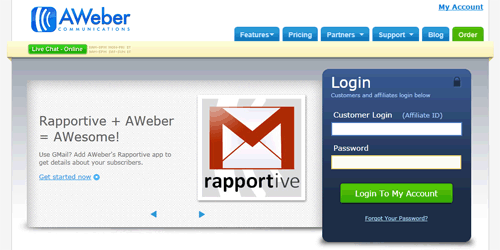
If you're new to list building, it's always a good idea to get to grips with your autoresponder. You can still add the below emails into your auto-responder sequence together with our other range of products and build your own campaigns. The more emails you add into your campaign, the more profit you'll make. Please note that these emails have been formatted to work with Aweber .
40 Step-by-Step Videos to Create Stunning Presentations and Manuals in YEAR!
40 Step-by-Step Videos to Create Stunning Presentations and Manuals in YEAR!
40 Step-by-Step Videos to Create Stunning Presentations and Manuals in YEAR!
Create Your Own Video Tutorials, Presentations, Manual Guides and more (free video inside...)
40 Quick and Easy Lessons to Create Crisp Clear Annotated Screen Captures!
1 Simple trick to increase your online profits...
Every sale that occurs online boils
down to two things. Traffic and
conversions.
https://viralfunnels.net/snagitcapture/go.php?e=PAYPAL@EMAIL.COM?l
Despite the tons of available training
on traffic generation, it's what you DO
with the traffic once you get it that
matters most.
So how do you improve your conversion
rates?
How do you put together convincing
sales letters, sales videos, digital
products and marketing content like
blog posts, articles and videos, that
presents your product in the BEST light
and get people to like what you have to
offer... so they eventual end up
buying?
Right now you can get your hands on 40
step-by-step video lessons that teach
you how to create all types of content
to make explainer videos,
illustrations, annoted screenshots and
more to convince your prospects to buy
and deliver value to your customers.
* Lesson 1 - Overview of Capture System
* Lesson 2 - Snagit Optional Plans
* Lesson 3 - Walkthrough of Interface
* Lesson 4 - Walkthrough of Capture Settings
* Lesson 5 - Walkthrough of Menu Preferences
* Lesson 6 - Using the All-in-One Capture Tool
* Lesson 7 - Using Capture Tool to Create a Video
* Lesson 8 - Using Tool to capture a Panoramic Image Part 1
* Lesson 9 - Using Tool to capture a Panoramic Image Part 2
* Lesson 10 - Window Image Tab Selection
* Lesson 11 - Using Capture Window Image Tab Effects Box
* Lesson 12 - Using Capture Window Effects Box Multiple Effects
* Lesson 13 - Using Capture Window Share Box File and Formats
* Lesson 14 - Using Capture Window Share Box Microsoft Programs
* Lesson 15 - Using TechSmith Screencast Hosting
* Lesson 16 - Sharing Your Image Content to Screencast
* Lesson 17 - Sharing Image Content to Desktop Programs
* Lesson 18 - Sharing Images to Multiple Locations
* Lesson 19 - Using the Video Recording Window
* Lesson 20 - Sharing your Recording on Screencast
* Lesson 21 - Overview of TechSmith Snagit
* Lesson 22 - Snagit Editor File Menu Part 1
* Lesson 23 - Snagit Editor File Menu Part 2
* Lesson 24 - Menu Editor Preferences
* Lesson 25 - Introduction to the Tools Menu
* Lesson 26 - Working with Stamps
* Lesson 27 - Working with the Arrow and Text
* Lesson 28 - Working with the Callout tool
* Lesson 29 - Resize Image and Canvas
* Lesson 30 - Snapping and Canvas colour tools
* Lesson 31 - Using the Library
* Lesson 32 - The View Menu
* Lesson 33 - Zoom in and Out Tools
* Lesson 34 - Image Menu Effects and Arrange Tabs
* Lesson 35 - Image Menu Move tool
* Lesson 36 - Image Menu Blur Tool
* Lesson 37 - Canvas creation
* Lesson 38 - Canvas Creation with Multiple Images
* Lesson 39 - Turning Video into GIF Using Editor
* Lesson 40 - Conclusion of Capture System
Check out the link below for more
details and watch a free lesson to get
you started...
https://viralfunnels.net/snagitcapture/go.php?e=PAYPAL@EMAIL.COM?l
To Your Success,
YOUR NAME
40 Step-by-Step Videos to Create Stunning Presentations and Manuals in YEAR!
40 Step-by-Step Videos to Create Stunning Presentations and Manuals in YEAR!
Create Your Own Video Tutorials, Presentations, Manual Guides and more (free video inside...)
40 Quick and Easy Lessons to Create Crisp Clear Annotated Screen Captures!
1 Simple trick to increase your online profits...
If you're not using instructional
content in your business to help sell
or pre-sell your products, services or
recommendations then you're missing out
on sales big time...
https://viralfunnels.net/snagitcapture/go.php?e=PAYPAL@EMAIL.COM?l
More importantly... you're wasting the
existing traffic you're sending to
those pages because you can quite
easily double, if not triple your
conversion rates with a few simple
tweaks.
You don't have to be a videographer,
have an artistic eye, or write scripts
like a movie producer.
Thankfully, there are some basic steps
that anyone can follow to create
quality content that leads to traffic
and sales quickly and easily.
Here's how professional diagrams,
videos and illustrations will help
increase your sales and grow your
business...
* You'll stand out from competitors who
only sell digital products on 'quiet'
sales pages
* Your sales funnel will become more
profitable
* Affiliates and JV partners will want
to promote you (for the long term)
* You'll impress your customers,
they'll remember the experience and buy
more from you
* You'll gain more authority in the
marketplace
* You'll be able to cross-promote your
more expensive products
* Customers will trust you and you'll
increase your back-end sales
* You'll be able to bring new life back
into your existing digital products
including unused PLR
* Plus so much more!
Now yon can easily create explainer
videos, ‘how to’ instruction manuals,
video lessons, step-by-step blog posts
and more with the right tools and
know-how.
https://viralfunnels.net/snagitcapture/go.php?e=PAYPAL@EMAIL.COM?l
To Your Success,
YOUR NAME
LAST CALL: 40 Step-by-Step Videos to Create Stunning Presentations and Manuals in YEAR!
LAST CALL: 40 Step-by-Step Videos to Create Stunning Presentations and Manuals in YEAR!
*ENDS SOON* Create Your Own Video Tutorials, Presentations, Manual Guides and more (free video inside...)
REMINDER: 40 Quick and Easy Lessons to Create Crisp Clear Annotated Screen Captures!
*24 HOURS LEFT!*1 Simple trick to increase your online profits...
This is just a quick reminder to let
you know that our latest promotion is
about to come to an end.
If you want to learn how to create
amazing explainer videos, tutorials,
annotated screenshots and more then
this will be of great help to you...
https://viralfunnels.net/snagitcapture/go.php?e=PAYPAL@EMAIL.COM?l=1
* Lesson 1 - Overview of Capture System
* Lesson 2 - Snagit Optional Plans
* Lesson 3 - Walkthrough of Interface
* Lesson 4 - Walkthrough of Capture Settings
* Lesson 5 - Walkthrough of Menu Preferences
* Lesson 6 - Using the All-in-One Capture Tool
* Lesson 7 - Using Capture Tool to Create a Video
* Lesson 8 - Using Tool to capture a Panoramic Image Part 1
* Lesson 9 - Using Tool to capture a Panoramic Image Part 2
* Lesson 10 - Window Image Tab Selection
* Lesson 11 - Using Capture Window Image Tab Effects Box
* Lesson 12 - Using Capture Window Effects Box Multiple Effects
* Lesson 13 - Using Capture Window Share Box File and Formats
* Lesson 14 - Using Capture Window Share Box Microsoft Programs
* Lesson 15 - Using TechSmith Screencast Hosting
* Lesson 16 - Sharing Your Image Content to Screencast
* Lesson 17 - Sharing Image Content to Desktop Programs
* Lesson 18 - Sharing Images to Multiple Locations
* Lesson 19 - Using the Video Recording Window
* Lesson 20 - Sharing your Recording on Screencast
* Lesson 21 - Overview of TechSmith Snagit
* Lesson 22 - Snagit Editor File Menu Part 1
* Lesson 23 - Snagit Editor File Menu Part 2
* Lesson 24 - Menu Editor Preferences
* Lesson 25 - Introduction to the Tools Menu
* Lesson 26 - Working with Stamps
* Lesson 27 - Working with the Arrow and Text
* Lesson 28 - Working with the Callout tool
* Lesson 29 - Resize Image and Canvas
* Lesson 30 - Snapping and Canvas colour tools
* Lesson 31 - Using the Library
* Lesson 32 - The View Menu
* Lesson 33 - Zoom in and Out Tools
* Lesson 34 - Image Menu Effects and Arrange Tabs
* Lesson 35 - Image Menu Move tool
* Lesson 36 - Image Menu Blur Tool
* Lesson 37 - Canvas creation
* Lesson 38 - Canvas Creation with Multiple Images
* Lesson 39 - Turning Video into GIF Using Editor
* Lesson 40 - Conclusion of Capture System
Check out the link below for more
details and watch a free lesson to get
you started...
https://viralfunnels.net/snagitcapture/go.php?e=PAYPAL@EMAIL.COM?l=1
To Your Success,
YOUR NAME
 Email marketing is still the most effective form of generating traffic on demand and converts higher than any other form of traffic. If you have a subscriber list in the internet marketing niche, use the email sequence below to being your promotion.