Emails and Auto-Responders
If you don't currently have enough subscribers, it's never too late to get more. If you don't have an email list, it's never too late to start. Take action, build your list and you'll have the ability to promote our instant-pay products on demand!
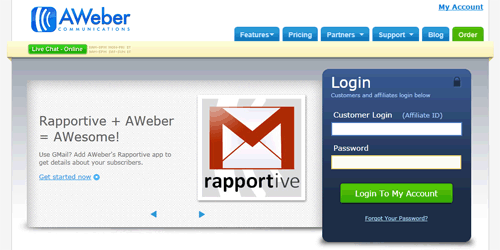
If you're new to list building, it's always a good idea to get to grips with your autoresponder. You can still add the below emails into your auto-responder sequence together with our other range of products and build your own campaigns. The more emails you add into your campaign, the more profit you'll make. Please note that these emails have been formatted to work with Aweber .
Grab 40 Step-by-Step Videos to Create eBooks and Reports Like a Pro
Grab 40 Step-by-Step Videos to Create eBooks and Reports Like a Pro
Grab 40 Step-by-Step Videos to Create eBooks and Reports Like a Pro
Create Exciting Reports, eBooks and Premium Courses and more (here's how...)
40 Step-by-Step Lessons to Create *STUNNING* eBooks and Rebrand PLR Files! (video inside...)
Create *AWESOME* eBooks Like a Pro and Sell for Premium Prices (demo inside...)
Presentation is EVERYTHING when it
comes to perceived value, building
trust and selling products online.
This is often as overlooked aspect but
is one of the reasons why prospects
turn into customers, and customers
become REPEAT customers. Delivering
value, consistently is key to your
success.
https://viralfunnels.net/wordquickstart/go.php?e=PAYPAL@EMAIL.COM?l
With Word Quick Start you'll be able to
pull off some really cool tricks and
tackle almost any content-related
problem you previously struggled with!
Now you can...
* Lesson 1 - Overview of Documents
* Lesson 2 - File Menu - Part 1
* Lesson 3 - File Menu - Part 2
* Lesson 4 - Home Menu - Part 1
* Lesson 5 - Home Menu - Part 2 Styles
* Lesson 6 - Insert Menu - Part 2
* Lesson 7 - Insert Menu - Part 2
* Lesson 8 - Design Menu
* Lesson 9 - Layout Menu
* Lesson 10 - References Menu
* Lesson 11 - References Menu - Table of Contents
* Lesson 12 - Mailings Menu
* Lesson 13 - Review Menu Part 1
* Lesson 14 - Review Menu - Part 2
* Lesson 15 - Review Menu Resume Assistant
* Lesson 16 - View Menu
* Lesson 17 - Basic Document Creation - Part 1
* Lesson 18 - Basic Document Creation - Part 2
* Lesson 19 - File Type Saving
* Lesson 20 - Basic Summary
* Lesson 21 - Advance Overview
* Lesson 22 - Importing From PowerPoint
* Lesson 23 - Importing From Word to PowerPoint
* Lesson 24 - File Menu Importing Content from Excel
* Lesson 25 - File Menu
* Lesson 26 - Voice Recognition and Dictation
* Lesson 27 - Insert Menu-Documenting Items
* Lesson 28 - Text and Symbols Tab
* Lesson 29 - Design Menu Page Background
* Lesson 30 - Layout Menu
* Lesson 31 - References Section Index Tab
* Lesson 32 - Mail Merge Part 1
* Lesson 33 - Mail Merge Part 2
* Lesson 34 - Review Menu Protect Tab
* Lesson 35 - Review Menu Compare Tab
* Lesson 36 - Review Menu Resume Assistant Tab
* Lesson 37 - Review Menu Linked Notes
* Lesson 38 - View Menu Windows Tab
* Lesson 39 - Interface with Google Docs
* Lesson 40 - Mobile Integration
Whether you're a seasoned online
marketer or someone that has never sold
a thing online before, this course will
give you the ability to create exciting
eBooks, reports, manuals, presentations
and more to help you take your business
to another level!
https://viralfunnels.net/wordquickstart/go.php?e=PAYPAL@EMAIL.COM?l
To Your Success,
YOUR NAME
Grab 40 Step-by-Step Videos to Create eBooks and Reports Like a Pro
Grab 40 Step-by-Step Videos to Create eBooks and Reports Like a Pro
Create Exciting Reports, eBooks and Premium Courses and more (here's how...)
40 Step-by-Step Lessons to Create *STUNNING* eBooks and Rebrand PLR Files! (video inside...)
Create *AWESOME* eBooks Like a Pro and Sell for Premium Prices (demo inside...)
Online marketing it's not just a
numbers game. It's also about
connecting with your potential
customers and marketplace in a way they
can relate to.
That's why it's important to create
content like eBooks, reports, manuals,
novels and more that your readers and
customers truly value.
https://viralfunnels.net/wordquickstart/go.php?e=PAYPAL@EMAIL.COM?l
With Word Quick Start you'll be able to
pull off some really cool tricks and
tackle almost any content-related
problem you previously struggled with!
Now you can...
* Rebrand PLR eBooks and make it your
own
* Create your own eBook from scratch
* Create give-away reports to build
your email list
* Write out instruction manuals and
sell it as a product
* Write novels and sell it on Amazon
Kindle
* Convert documents into physical
hard-print books to sell
* Compile many eBooks together into a
premium online course
* Start a paid newsletter membership
and charge a monthly fee
* Plus so much more!
If you struggle with the techie side of
things, and need step-by-step guidance
to create high value product content,
then this is for you.
https://viralfunnels.net/wordquickstart/go.php?e=PAYPAL@EMAIL.COM?l
To Your Success,
YOUR NAME
LAST CALL: Grab 40 Step-by-Step Videos to Create eBooks and Reports Like a Pro
LAST CALL: Grab 40 Step-by-Step Videos to Create eBooks and Reports Like a Pro
REMINDER: Create Exciting Reports, eBooks and Premium Courses and more (here's how...)
*24 HOURS LEFT!* 40 Step-by-Step Lessons to Create *STUNNING* eBooks and Rebrand PLR Files! (video inside...)
*ENDS SOON* Create *AWESOME* eBooks Like a Pro and Sell for Premium Prices (demo inside...)
This is just a quick reminder to let
you know that our Word Quick Start
promotion is about to come to an end.
https://viralfunnels.net/wordquickstart/go.php?e=PAYPAL@EMAIL.COM?l=1
If you want to pull off some really
cool tricks and tackle almost any
content-related problem you previously
struggled with, now you can...
* Lesson 1 - Overview of Documents
* Lesson 2 - File Menu - Part 1
* Lesson 3 - File Menu - Part 2
* Lesson 4 - Home Menu - Part 1
* Lesson 5 - Home Menu - Part 2 Styles
* Lesson 6 - Insert Menu - Part 2
* Lesson 7 - Insert Menu - Part 2
* Lesson 8 - Design Menu
* Lesson 9 - Layout Menu
* Lesson 10 - References Menu
* Lesson 11 - References Menu - Table of Contents
* Lesson 12 - Mailings Menu
* Lesson 13 - Review Menu Part 1
* Lesson 14 - Review Menu - Part 2
* Lesson 15 - Review Menu Resume Assistant
* Lesson 16 - View Menu
* Lesson 17 - Basic Document Creation - Part 1
* Lesson 18 - Basic Document Creation - Part 2
* Lesson 19 - File Type Saving
* Lesson 20 - Basic Summary
* Lesson 21 - Advance Overview
* Lesson 22 - Importing From PowerPoint
* Lesson 23 - Importing From Word to PowerPoint
* Lesson 24 - File Menu Importing Content from Excel
* Lesson 25 - File Menu
* Lesson 26 - Voice Recognition and Dictation
* Lesson 27 - Insert Menu-Documenting Items
* Lesson 28 - Text and Symbols Tab
* Lesson 29 - Design Menu Page Background
* Lesson 30 - Layout Menu
* Lesson 31 - References Section Index Tab
* Lesson 32 - Mail Merge Part 1
* Lesson 33 - Mail Merge Part 2
* Lesson 34 - Review Menu Protect Tab
* Lesson 35 - Review Menu Compare Tab
* Lesson 36 - Review Menu Resume Assistant Tab
* Lesson 37 - Review Menu Linked Notes
* Lesson 38 - View Menu Windows Tab
* Lesson 39 - Interface with Google Docs
* Lesson 40 - Mobile Integration
Whether you're a seasoned online
marketer or someone that has never sold
a thing online before, this course will
give you the ability to create exciting
eBooks, reports, manuals, presentations
and more to help you take your business
to another level!
https://viralfunnels.net/wordquickstart/go.php?e=PAYPAL@EMAIL.COM?l=1
To Your Success,
YOUR NAME
 Email marketing is still the most effective form of generating traffic on demand and converts higher than any other form of traffic. If you have a subscriber list in the internet marketing niche, use the email sequence below to being your promotion.