Disclosure: This page may contain affiliate links. I may earn a commission at no extra cost to you if you purchase through one of these links.
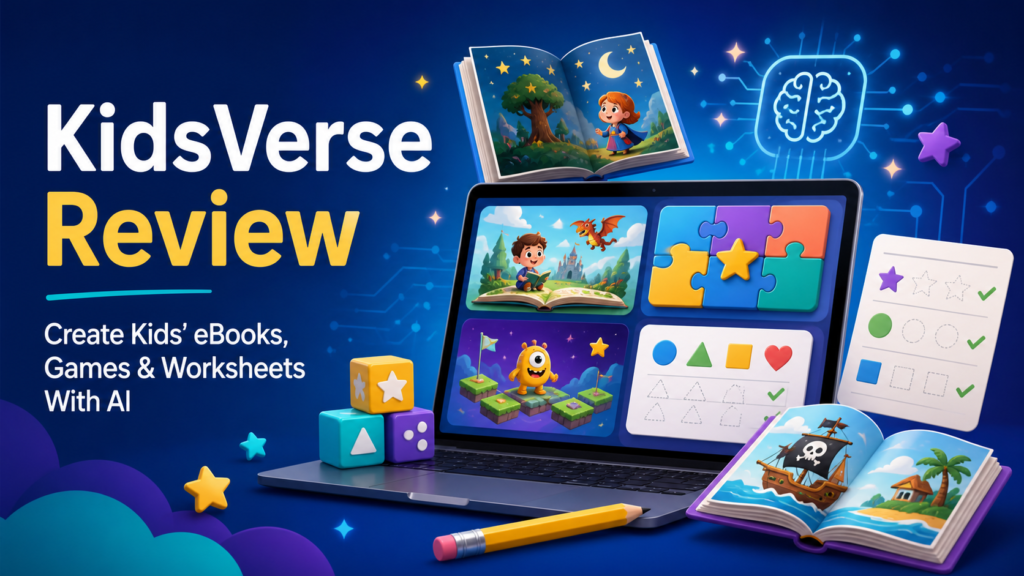
Creating educational content for children can involve writing, illustration, page design, audio production and interactive tools. KidsVerse Studio aims to simplify that process by bringing these tasks together in one AI-powered platform. It lets you create complete eBooks, flip books, coloring books, worksheets, crafts, audiobooks, quizzes and learning games, then publish them in a branded online Zone where families can read, play, download or buy your products.
This can be useful for teachers, parents, digital product sellers and small business owners who want to develop children’s content without learning several complicated design programs. In this guide, we will look at what KidsVerse includes, how it works and what to consider before deciding whether it fits your plans.
What Is KidsVerse Studio?
KidsVerse Studio is an all-in-one AI studio built specifically for children’s content. Instead of focusing on only one format, it combines tools for books, printable activities, audio and interactive learning experiences.
The platform says many individual projects can be created in about a minute. Actual production time will depend on the type of content, the instructions you provide and how much reviewing or editing you choose to do. AI output should always be checked before it is shared with children.
Once your resources are ready, you can publish them to your own branded KidsVerse Zone. This acts as a central destination for your content rather than requiring you to send visitors to several unrelated tools or websites. VidNexus AI Review: Build Unlimited Faceless Kids Channels With a Smarter Workflow
What Can You Create With KidsVerse?
The main advantage of KidsVerse is the range of formats available in one place. A single topic can be turned into multiple resources for different learning styles.
eBooks and Flip Books
You can use the platform to build children’s stories, educational guides and other digital books. A simple idea such as “A friendly robot learns how to recycle” could become a short illustrated story with an age-appropriate structure.
Flip books provide a more visual reading experience by presenting pages in an interactive format. These may be useful for story collections, simple lessons or lead magnets for a family-focused business.
Coloring Books and Crafts
Coloring activities can support a story, lesson or seasonal theme. For example, a space-themed learning collection could include planet coloring pages, a rocket craft and a short book about the solar system.
Craft resources can also give parents and teachers an offline activity to pair with digital content. Instructions should be reviewed carefully for clarity, material suitability and age-appropriate safety.
Worksheets
KidsVerse includes access to a library of 50,000 worksheets. This can help users who do not want to create every printable from the beginning.
Worksheets may be organized around topics such as literacy, numbers, problem-solving or general classroom activities. Before publishing any worksheet, confirm that its difficulty, wording and answer structure match the age group you are targeting.
Audiobooks
The audiobook tools let you add a listening option to your content. Audio can make a resource more flexible for families who enjoy listening during quiet time, travel or shared activities.
It is still important to listen to the complete result. Check pronunciation, pacing, volume and whether the narration sounds appropriate for the story.
Quizzes and Learning Games
KidsVerse includes more than 350 ready games as well as the Quest Zone, which contains 90 adventure quizzes. These resources may help make a lesson more interactive without requiring you to code a game yourself.
A quiz could follow an eBook to reinforce key ideas. A lesson about animal habitats, for instance, might include a short book, a matching worksheet and a quiz that asks children to connect each animal to its home.
Key KidsVerse Features
A Large Library of Visual Assets
The platform includes more than 500,000 kids assets and access to a stock library of over six million items. A broad asset selection can make it easier to find visual elements for different subjects and age ranges.
Large libraries can also feel overwhelming, so it helps to choose a consistent visual direction before building. Decide on your colors, illustration style and audience first, then select assets that fit those choices.
Your Own Branded Zone
Your branded Zone gives families one place to access your books, downloads, games and quizzes. This can create a more connected experience than publishing every item as an isolated file.
Branding does not need to be complicated. A clear name, a simple logo, two or three colors and a short description of whom the content serves can provide a consistent starting point.
The Kids-Verse Store
The built-in Kids-Verse Store allows you to list your own products and connect your own payment gateway. This may be useful if you want to sell printable bundles, digital books, activity collections or access to themed resources.
Having selling tools available does not guarantee sales or income. You will still need suitable products, accurate descriptions, clear pricing, customer support and a responsible promotion plan.
No Design Skills or Monthly Fees Required
KidsVerse is presented as beginner-friendly and does not require professional design skills. It is also offered without monthly fees. Before purchasing, review the current sales page carefully so you understand exactly what the license includes and whether optional upgrades or additional services are available.
Who Might Find KidsVerse Useful?
KidsVerse may appeal to several types of users:
- Teachers and tutors who want to prepare supporting activities for lessons.
- Parents and homeschoolers who want themed learning materials for children.
- Authors who want to explore interactive extras around a children’s story.
- Digital product sellers who want to build original printable or multimedia bundles.
- Bloggers and affiliate marketers who serve parents, teachers or homeschool audiences.
- Small education businesses that want a branded place for books, games and downloads.
The platform may be less suitable if you need advanced manual control over every design detail or if your work requires a specialized curriculum system. It is a creation and publishing tool, not a replacement for qualified educational review.
How to Create a Kids Content Collection
Step 1: Choose One Audience
Start with a defined reader rather than trying to create for every child. For example, you might focus on early readers learning basic vocabulary or children practicing simple addition.
A narrow audience helps you make better choices about sentence length, instructions, visuals and activity difficulty.
Step 2: Select a Clear Theme
Pick a topic that can work across several formats. Themes such as ocean animals, kindness, dinosaurs, weather or healthy habits offer many possibilities.
Write down the main learning goal. “Learn five facts about sea turtles” is more useful than the broad goal of “teach ocean science.”
Step 3: Build the Main Resource
Create one central item, such as an eBook. Give the AI specific guidance about the intended age range, tone, approximate length and lesson objective.
Review the result for factual accuracy, repetition, confusing language and unsuitable details. Edit it so the finished product reflects your own standards rather than publishing the first output automatically.
Step 4: Add Supporting Activities
Turn the same theme into a coloring page, worksheet, craft or short quiz. This is where an all-in-one tool can be especially convenient because you can develop a connected collection without moving between many applications.
For example, a “Garden Explorers” bundle might contain a short eBook about plant growth, a flower coloring book, a seed-counting worksheet, a paper flower craft and a quiz about what plants need.
Step 5: Test Every Item
Read the book from start to finish, print the worksheets and complete the quiz yourself. Check that answer options work, pages are readable and downloads open correctly.
If possible, ask a parent, teacher or other appropriate reviewer to provide feedback before releasing the collection. Never include personal information or unsafe instructions in children’s material.
Step 6: Publish and Organize Your Zone
Upload the completed resources to your branded Zone and group related items together. Use clear titles and descriptions so adults can understand the topic, format and intended age level.
If you decide to sell products through the Kids-Verse Store, explain exactly what each purchase contains. Avoid exaggerated learning claims, and provide basic customer support information.
Practical Tips for Better Results
- Use detailed prompts that identify the age group, subject and learning goal.
- Keep instructions short and concrete for younger children.
- Check facts instead of assuming AI-generated text is correct.
- Use legally permitted assets according to the platform’s current license terms.
- Keep colors, fonts and illustration styles consistent across a collection.
- Make printable pages easy to read and economical to print where possible.
- Ask an adult to review content before it reaches children.
- Create a few polished products before trying to fill an entire store.
Important Considerations Before Buying
KidsVerse combines a wide selection of creation and publishing features, but it will not remove the need for human judgment. Children’s content requires extra care because facts, reading levels, safety instructions and visual details must be appropriate for the intended audience.
You should also read the latest product page for information about commercial-use rights, asset licensing, payment gateway compatibility, technical requirements and any optional offers. Features and terms can change, so the current vendor information should guide your purchasing decision.
Finally, consider whether you have a realistic plan for using the tools. A large content library is most valuable when it supports a focused audience and a clear publishing schedule.
Conclusion: Is KidsVerse Worth Exploring?
KidsVerse Studio offers an unusually broad collection of tools for producing children’s books, printables, audio and interactive activities. Its ready-made games, Quest Zone quizzes, worksheet library, visual assets, branded publishing area and built-in store can reduce the number of separate platforms needed for a kids content project.
It is most likely to suit beginners and small business owners who value speed, variety and convenience. However, each resource still needs thoughtful editing, testing and age-appropriate review. The software can support your workflow, but the usefulness of the final content depends on the ideas, care and quality control you bring to it.
If those features match your project, you can visit the KidsVerse Studio page here to review the current offer, licensing terms and included tools before making a decision.
Affiliate disclosure: This link is an affiliate link. If you make a purchase through it, the publisher of this article may receive a commission at no additional cost to you.
Frequently Asked Questions
What can I create with KidsVerse Studio?
You can create eBooks, flip books, coloring books, worksheets, crafts, audiobooks, quizzes and learning games. You can also combine several formats into a themed content collection.
Do I need design or coding skills?
KidsVerse is designed for users without professional design or coding experience. You should still be comfortable reviewing, editing and organizing the generated content.
Can I sell products made with KidsVerse?
The platform includes the Kids-Verse Store and lets users connect their own payment gateway. Check the current commercial-use and asset licensing terms before listing any product for sale.
Does KidsVerse charge a monthly fee?
The offer is presented as having no monthly fees. Review the latest sales page for current pricing, optional upgrades and any costs related to third-party services or payment processing.
Can KidsVerse guarantee sales or business results?
No. It provides content creation, publishing and selling tools, but results depend on product quality, audience fit, promotion, pricing and other business factors.
Should AI-generated children’s content be reviewed?
Yes. Check every book, worksheet, activity, quiz and audio file for accuracy, clarity, age suitability, safety and technical quality before publishing it.