Disclosure: This page may contain affiliate links. I may earn a commission at no extra cost to you if you purchase through one of these links.
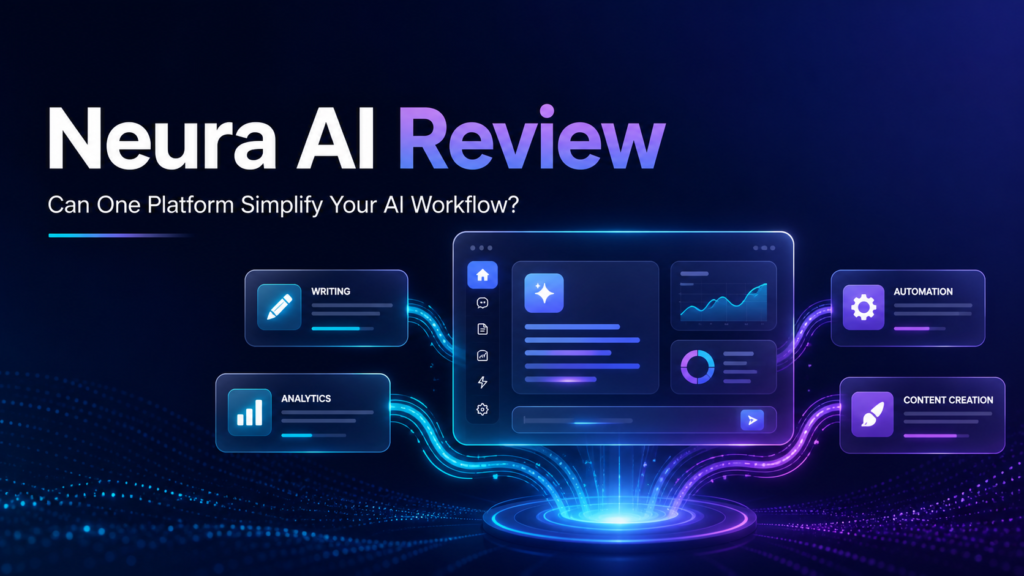
Switching between multiple artificial intelligence tools can make even simple projects feel complicated. Neura AI is presented as a way to access and coordinate several well-known AI services from one dedicated OpenClaw server environment. In this Neura AI review, we will examine what that proposition could mean for creators and small business owners, where it may save time, and what you should verify before purchasing. This article contains affiliate links, which means we may receive a commission if you buy through them, at no additional cost to you.
What Is Neura AI?
Neura AI is marketed as an all-in-one platform for using multiple AI systems rather than relying on a single assistant. Its sales proposition highlights access to Claude Max, Grok Max, Gemini Ultra, DeepSeek, Perplexity, Copilot and Manus AI through a dedicated OpenClaw server.
The central idea is attractive: different AI tools have different strengths. One may be useful for drafting content, another for research, and another for structured problem-solving. Bringing them into a unified workflow may reduce the need to keep several browser tabs, subscriptions and separate project histories open.
However, buyers should not interpret multi-AI access as a guarantee that every service is included without restrictions. Product names, model availability, usage limits and third-party access policies can change. Confirm the current terms on the official offer page before making a decision. Watch Skill-Powered AI Agents Build Your Funnels: A Practical Guide to AI Skills Agent
Why Use Multiple AI Systems?
No AI model is automatically the best choice for every assignment. Performance can vary depending on the prompt, subject, required format and need for current information. A multi-model setup lets you select a suitable tool or compare outputs instead of accepting the first response you receive.
Compare answers before publishing
A business owner could ask one AI to create a draft, use another to identify missing points, and send the revised version to a third tool for clarity checks. This does not remove the need for human editing, but it can create a more deliberate review process.
Match tools to specific tasks
Research, planning, writing, coding and data organization are different types of work. Access to multiple artificial intelligence tools may help users match an assistant to the task rather than forcing one model into every role.
Reduce workflow fragmentation
Using separate AI products can create scattered conversations, files and prompts. A central workspace may make projects easier to manage if Neura AI provides the integrations, storage and controls your business needs.
Neura AI Features and Claims to Evaluate
The value of Neura AI depends less on the number of names in its tool list and more on how those services are actually delivered. Here are the main areas prospective users should evaluate.
Access to seven AI services
Neura AI promotes access to Claude Max, Grok Max, Gemini Ultra, DeepSeek, Perplexity, Copilot and Manus AI. Some of these names describe broader products or service tiers rather than interchangeable models. Ask whether access is native, API-based, browser-based or routed through an automation layer.
You should also confirm which versions are available, whether individual accounts are required, and whether there are daily, monthly or task-based limits.
Dedicated OpenClaw server
A dedicated server may provide a more centralized environment for running AI agents and automated tasks. For a small business, the possible benefits include greater workflow control, persistent processes and less dependence on a personal computer remaining switched on.
Still, the word dedicated can have different meanings. Verify whether the server is exclusively allocated to one customer, how long access lasts, where data is stored, what maintenance is included, and whether server resources have defined limits.
AI agents and automation
AI agents are designed to complete multi-step assignments using prompts, connected tools and predefined instructions. Instead of responding to a single question, an agent might collect information, organize it and prepare an output for review.
Automation can be valuable, but unattended agents should not be trusted with sensitive, financial or customer-facing decisions without safeguards. Human approval remains important, particularly when an output will be published or sent to clients.
No-monthly-fee positioning
Neura AI is promoted with no monthly fees. This could appeal to users trying to control recurring software expenses. However, no platform subscription does not necessarily mean every related service is free forever.
Check whether third-party API charges, hosting renewals, upgrades, optional integrations, usage credits or separate premium accounts are required. You should also establish whether the purchase provides lifetime platform access, a fixed license term or access for as long as the product remains supported.
Practical Neura AI Use Cases
AI content creation
Creators could use Neura AI to develop topic ideas, outlines, first drafts and repurposed content. For example, a user might turn a webinar transcript into a blog outline, email summary and collection of social posts.
AI writing tools should be treated as drafting assistants rather than automatic publishing systems. Review claims, remove generic wording, add original expertise and check that the final content matches your brand.
AI social media automation
A small business could prepare a week of draft posts from one approved article. An AI agent might extract key ideas, adapt them for different platforms and organize them in a content calendar.
Before scheduling anything, check links, tone, platform requirements and factual accuracy. Social media automation is most effective when it supports genuine communication rather than replacing it.
AI meeting notes
If supported by the relevant integrations, AI can help summarize meeting transcripts, identify decisions and produce a list of action items. A practical workflow might ask the system to separate confirmed decisions from suggestions and assign follow-up tasks only when an owner is clearly named.
Do not upload confidential recordings without checking consent, privacy settings and data retention policies.
Research and planning
Using multiple AI systems can be useful when researching a new content topic or business process. One service might assemble an initial overview, while another critiques assumptions or suggests questions that still need authoritative sources.
AI-generated research can contain outdated or incorrect information. Verify important facts through primary documents, official websites and qualified professionals where appropriate.
AI workflow automation
Online business owners regularly repeat tasks such as sorting ideas, creating briefs, summarizing feedback and preparing reports. Neura AI may help turn these activities into reusable workflows.
For instance, a weekly content workflow could collect approved topics, generate outlines, create draft social posts and place each item into a review queue. The owner would still approve the material before publication.
How to Evaluate Neura AI Step by Step
- List your recurring tasks. Identify three to five activities that currently consume time, such as content briefs, meeting summaries or social media drafts.
- Choose one measurable workflow. Start with a contained process instead of attempting to automate the whole business.
- Confirm tool access. Check which AI services and versions are currently included and whether separate credentials or usage charges apply.
- Review server terms. Ask about capacity, uptime policies, storage, backups, security, maintenance and renewal conditions.
- Inspect privacy controls. Determine how prompts, uploaded files and generated outputs are handled.
- Test output quality. Run the same representative task through the available tools and compare accuracy, clarity and editing requirements.
- Keep human approval in place. Review all public-facing or business-critical work before it is used.
- Assess total cost. Include the purchase price and any external subscriptions, APIs, hosting or add-ons.
Potential Advantages
- One environment may reduce the inconvenience of switching between AI tools.
- Multiple systems can provide alternative drafts and perspectives.
- Reusable agents may streamline repetitive business processes.
- A dedicated server may support persistent workflows, depending on its configuration.
- The no-monthly-fee offer may be attractive if essential functionality is included without significant external costs.
- The platform may suit creators who want writing, research and automation capabilities in one place.
Potential Limitations and Risks
- No AI system always produces the best or correct answer.
- Third-party tools can change their names, pricing, access methods and policies.
- Automated content can be inaccurate, repetitive or inconsistent with your brand.
- A no-monthly-fee product may still require paid APIs, hosting or external accounts.
- Beginners may need time to learn prompting, agent configuration and quality control.
- Sensitive business or customer data requires careful privacy and security review.
- Continuous operation depends on server availability, integrations and upstream AI providers.
Who Is Neura AI Best For?
Neura AI may be worth considering for content creators, affiliate marketers, consultants and small business owners who already use several AI productivity tools. It may also suit users who want to experiment with AI agents without assembling an entire technical stack independently.
It may be less suitable for someone who only needs occasional writing assistance. In that situation, one established AI service could be simpler. Organizations with strict compliance requirements should complete a detailed security and legal review before uploading internal data.
Neura AI Review Verdict
Neura AI offers an interesting proposition: combine access to several prominent AI services with AI agents and a dedicated OpenClaw server, while avoiding a conventional monthly platform fee. For users managing several content and automation tools, that combination could simplify parts of the working process.
The platform should not be viewed as an automatic path to better rankings, traffic or revenue. Its practical value will depend on the exact integrations, current usage allowances, server terms, output quality and external costs. Human judgment remains essential.
If the feature set matches your workflow, review the latest offer details, licensing conditions and refund policy before buying. You can visit the Neura AI offer page here to examine the current package. Start with one low-risk workflow and expand only after you understand how the platform handles your data and tasks.
Frequently Asked Questions
What is Neura AI?
Neura AI is promoted as a multi-AI platform that brings several AI services, agents and automation capabilities into a dedicated OpenClaw server environment. Exact features and access conditions should be confirmed on the current offer page.
Which AI services does Neura AI include?
The offer highlights Claude Max, Grok Max, Gemini Ultra, DeepSeek, Perplexity, Copilot and Manus AI. Verify the available versions, usage limits and whether separate accounts or API credentials are required.
Does Neura AI really have no monthly fees?
Neura AI is marketed without a monthly platform fee, but external expenses may still apply. Check for API charges, server renewals, premium third-party accounts, usage credits and optional upgrades.
Can Neura AI create content automatically?
It may help generate outlines, drafts, summaries and social media content. All output should be reviewed for accuracy, originality, tone and compliance before publication.
Can Neura AI run continuously?
A server-based environment may support ongoing processes, but uninterrupted operation cannot be assumed. Availability depends on hosting, platform maintenance, integrations and third-party AI providers.
Is Neura AI suitable for beginners?
It may be suitable for beginners willing to learn prompting and workflow design. New users should begin with simple, low-risk tasks and maintain human approval at every important stage.