Disclosure: This page may contain affiliate links. I may earn a commission at no extra cost to you if you purchase through one of these links.
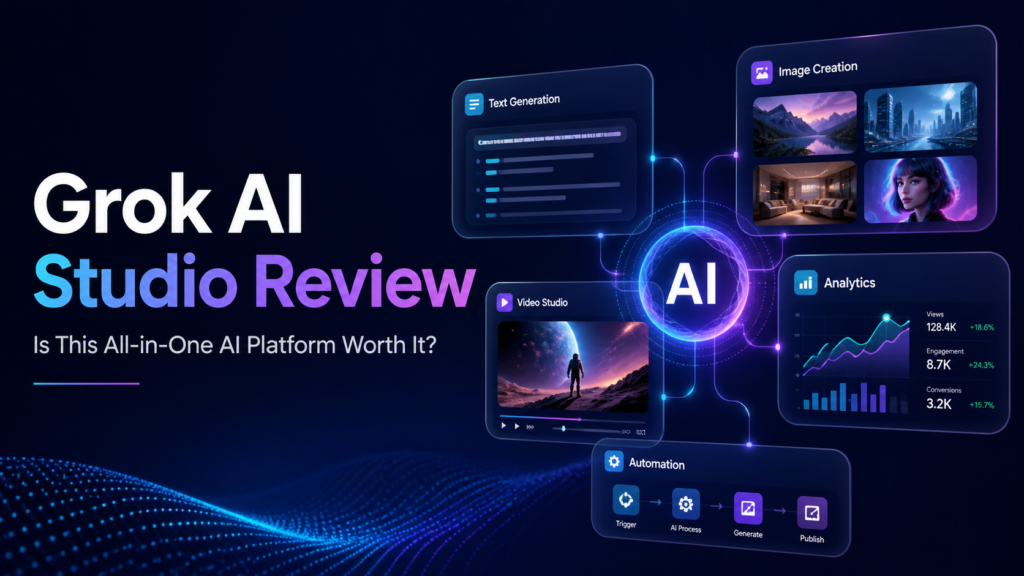
Grok AI Studio is presented as an all-in-one creator platform designed to turn a single idea into videos, images, written content, voiceovers, music, websites, eBooks, advertisements and other digital assets. That is an ambitious promise, especially for beginners and small online business owners who currently use several separate artificial intelligence tools. This Grok AI Studio review examines what the platform claims to offer, how it could fit into a practical workflow and what you should verify before buying.
What Is Grok AI Studio?
Grok AI Studio is marketed as a centralized dashboard for AI content creation, research and marketing. Its main appeal is convenience: rather than moving between an AI writer, AI image generator, AI video generator and research assistant, users are offered access to multiple functions from one interface.
The product materials advertise tools or model options carrying names such as Grok Imagine Image 2.0, Grok Imagine Video 1.5, Grok Voice, Grok 4.7, Grok 4.7 Fast, Grok 4.6, Grok 4.5, Grok 4.2, Grok 4.1, Grok 4, Grok 3, Grok 3 Mini and SuperGrok. They also refer to real-time search intelligence and advanced reasoning features.
Prospective buyers should not assume that these labels automatically mean they receive an official, direct subscription to every service associated with Grok or xAI. Grok AI Studio may operate as a third-party interface, software bundle or access layer. Before paying, confirm the provider, integrations, licensing arrangements and exact type of access included. MoviePix AI Review: Can This AI Anime Video Generator Create Complete Animated Shows?
What Can You Create With Grok AI Studio?
According to its promotional description, Grok AI Studio covers several major categories of creator software. The actual output quality will depend on the available models, prompts, usage limits and editing controls.
Written Content and Marketing Copy
The writing features may help users prepare blog outlines, social posts, product descriptions, email drafts, scripts, advertisements and eBook sections. For a small business, this could shorten the time needed to create a first draft.
AI-generated copy should still be reviewed by a person. Check facts, remove repetition, adjust the tone and make sure claims about products or results are supportable. Publishing unedited output can weaken credibility and may introduce inaccurate information.
AI Image Generation
The advertised AI image generator can potentially create concept art, social graphics, thumbnails, advertising visuals and illustrations from text prompts. This may be useful for creators who need original visual concepts but do not have advanced design skills.
Generated images often need refinement. Inspect text inside images, hands, faces, logos and small background details. You should also verify the platform’s commercial-use terms before placing generated visuals in paid advertisements, client work or products for sale.
AI Video Creation
Grok AI Studio is also promoted as an AI video generator. Possible applications include short promotional clips, visual scenes, social media content, product explainers and supporting footage for longer videos.
Video generation can require more processing resources than text or images. Check whether the purchase includes rendering credits, maximum video lengths, resolution options, watermarks and commercial rights. These details can have a significant effect on the platform’s value.
Voice, Music and Audio
Advertised voice and music capabilities could help users produce narration, background audio, podcast elements or soundtracks for short videos. This can simplify production when hiring a narrator or musician is outside the budget.
Do not clone or imitate a real person’s voice without permission. For music, verify whether generated tracks can be used commercially and whether any restrictions apply to advertising, streaming platforms or client projects.
Research and Idea Development
Real-time search and reasoning tools may help with topic discovery, competitor research, content planning and summarizing information. These functions can be valuable, but search-connected AI is not automatically accurate.
Verify dates, names, prices, technical statements and quotations against reliable primary sources. AI research is best treated as a starting point rather than final evidence.
Who Is Grok AI Studio For?
This type of Grok AI tool is likely to be most relevant to users who regularly produce several forms of content.
- Affiliate marketers: Create article outlines, comparison frameworks, promotional graphics and video scripts.
- Small business owners: Draft emails, advertisements, product descriptions and social media campaigns.
- Content creators: Develop ideas, scripts, thumbnails, narration and short videos.
- Freelancers: Produce initial concepts and drafts for client projects, subject to the license terms.
- Course and eBook creators: Organize lessons, chapters, worksheets and supporting visuals.
It may be less suitable for someone who only needs one specialized function. For example, a professional video editor may prefer a dedicated production application with detailed timeline controls, while a technical researcher may need databases and verified sources rather than a general AI assistant.
A Practical Grok AI Studio Workflow
The best way to use an all-in-one platform is to build a repeatable process rather than generating random assets. Here is a simple workflow for a small online business.
Step 1: Define One Clear Objective
Start with a specific outcome, such as promoting a new digital guide. Identify the intended audience, the problem the guide addresses and the action you want readers to take.
Step 2: Create a Core Brief
Ask the writing tool to produce a concise creative brief containing the audience, tone, key benefits, limitations and call to action. Save this brief and use it across each content format to maintain consistency.
Step 3: Generate the Long-Form Draft
Use the brief to create an article or landing-page draft. Add your own product knowledge, examples and evidence. Remove unsupported promises, particularly claims involving guaranteed income, traffic or business growth.
Step 4: Repurpose the Main Idea
Turn the approved draft into several smaller assets: three social posts, a short email, a 30-second video script and a list of image concepts. Repurposing is one of the most practical benefits of an integrated AI content creation platform.
Step 5: Produce Visual and Audio Assets
Use the image tool for a header graphic and social visual. If appropriate, create a short video scene and narration. Keep branding, colors and messaging consistent.
Step 6: Review Everything Manually
Check facts, grammar, visual defects, pronunciation and licensing requirements. Make sure the finished content accurately represents the offer. AI can accelerate production, but responsibility for the published material remains with the user.
Example Campaign From One Idea
Imagine that an online shop is launching a beginner’s home-organization planner. The owner could begin with one prompt describing the planner, customer and preferred professional tone.
Grok AI Studio could then be used to draft a launch article, produce a five-email outline, suggest social captions, generate a product mockup concept and create a short video script. A voice tool could provide narration, while a music feature could suggest background audio.
This example illustrates workflow efficiency, not guaranteed performance. The resulting campaign would still require editing, brand customization, legal checks and testing. Its commercial results would depend on the offer, audience, distribution, pricing and many other factors outside the software.
Potential Benefits
- Centralized workflow: Multiple creation tasks may be managed without switching between numerous dashboards.
- Faster first drafts: The platform may reduce the time required for brainstorming and initial production.
- Content repurposing: One central idea can be adapted for blogs, emails, ads, images and videos.
- Beginner accessibility: Prompt-based tools may be easier to approach than complex creative software.
- Broader experimentation: Users can test several content formats before investing in specialized applications.
Limitations and Questions to Check
The breadth of the advertised feature list is attractive, but an AI product review should also consider the details that sales headlines may not explain.
- Official status: Determine whether this is an official xAI product or an independent third-party platform.
- Model access: Confirm which named models are currently available and whether access is direct, simulated or provided through another service.
- Usage allowances: Look for prompt, image, video, storage and rendering limits.
- Extra costs: Check whether credits, upgrades, API connections or recurring payments are required.
- Output rights: Read the commercial-use terms for text, images, video, voice and music.
- Privacy: Avoid uploading confidential customer information unless the data policy is suitable for your needs.
- Refund policy: Review the stated refund window, conditions and support process before purchasing.
- Feature changes: AI platforms evolve quickly, so model names and functionality may change after launch.
Grok AI Studio vs. Separate AI Tools
Dedicated artificial intelligence tools often offer deeper controls in one category. A specialist image platform may provide more editing options, while professional video software may offer stronger timeline, audio and export features.
Grok AI Studio’s potential advantage is consolidation. For a beginner, having several AI marketing tools in one dashboard may be more convenient than building and paying for a collection of separate services.
The right choice depends on priorities. Choose an integrated platform when speed, simplicity and repurposing matter most. Choose specialized software when you need precise professional controls, predictable integrations or a mature production workflow.
Final Verdict
Grok AI Studio presents an appealing concept for creators and small businesses that want writing, image, video, audio and research functions in one place. Its strongest potential use is turning a well-defined idea into multiple draft assets for a coordinated campaign.
However, buyers should treat broad phrases such as all-in-one or unlimited carefully. Verify the platform’s official status, current model availability, fair-use restrictions, export quality, commercial licensing and possible additional charges. No AI tool can guarantee better rankings, traffic, sales or income.
If the included features match your workflow and the current terms are acceptable, you can visit the Grok AI Studio offer page here to review the latest pricing, demonstrations and purchase conditions.
Affiliate disclosure: This link is an affiliate link. If you purchase through it, the publisher may earn a commission at no additional cost to you. This does not affect the review criteria or the need to evaluate the product independently.
Frequently Asked Questions
Is Grok AI Studio an official Elon Musk or xAI product?
Do not assume official affiliation based only on the product name or marketing language. Check the sales page, terms, company details and documentation to establish whether it is an official product, an authorized integration or an independent third-party platform.
Does Grok AI Studio provide unlimited content creation?
The offer may use the term unlimited, but fair-use policies, credits, processing limits or technical restrictions could still apply. Confirm the current allowances for text, images, video, audio, storage and exports.
Can beginners use Grok AI Studio?
The centralized, prompt-based approach appears intended to be accessible to beginners. New users will still need to learn how to write clear prompts, edit outputs and check facts and licensing.
Can I use its output for commercial projects?
Commercial use depends on the platform’s current terms and the type of media generated. Review the licenses for text, images, videos, voices and music before using output in advertisements, client work or products for sale.
Will Grok AI Studio replace other creator software?
It may replace some basic drafting and idea-generation tools, but specialists may still need professional design, video editing, research or publishing software. The best setup depends on the required quality and level of control.